
If you started tracking money in India around 2015 to 2020, there is a good chance Walnut was your first app. It read your bank SMS, showed where your salary went, and reminded you when the HDFC card bill was due. No forms, no typing.
Walnut has since become axio. The Play listing describes axio as formerly Capital Float, Walnut and Walnut 369, and the app now combines SMS-based money management with Pay Later, personal loans and fixed deposits. For some people that is fine. Others just want the old, quiet tracker back.
Short answer: if what you miss is automatic tracking from SMS with no bank login, look at SkyloFin or PennyWise. If you want investments in the same place, Fold. If you only cared about credit card dues, CRED does that well. And if you use axio’s credit products, staying put may be the simplest choice.
What axio is today
To be fair to axio, the tracker has not vanished. According to its current Google Play listing, it still:
- Tracks daily and monthly expenses from SMS.
- Shows bank accounts, credit cards, digital wallets and meal cards together.
- Reminds you about credit card dues and utility bills (electricity, DTH, gas, mobile, Wi-Fi).
- Lets you add custom categories, notes, tags and receipt photos, and search them.
Alongside that, it offers axio Pay Later at online merchants, personal loans for eligible users through regulated lenders, and fixed deposits. The listing says it does not read personal SMS, and that SMS permission is used for both money management and loan fraud prevention.
So the honest question is not “is axio bad?” It is “do I want my expense tracker and my credit offers in the same app?” If the answer is no, read on.
Match the alternative to what you miss

| What you liked about Walnut | Best alternative | Why |
|---|---|---|
| Spends appearing on their own from SMS | SkyloFin or PennyWise | Both read bank SMS on the phone; no bank login |
| Never missing a credit card due date | SkyloFin, or CRED | SkyloFin reads statement SMS; CRED manages cards and reminds you |
| Seeing everything, including investments | Fold | Uses Account Aggregator to pull bank, card, MF, EPF, NPS data |
| A simple app with nothing to sell | PennyWise or SkyloFin | No ads; PennyWise is open source |
| Its loans or Pay Later | Stay on axio | No tracker alternative replaces credit products |
The alternatives, one by one
SkyloFin: closest to how Walnut felt
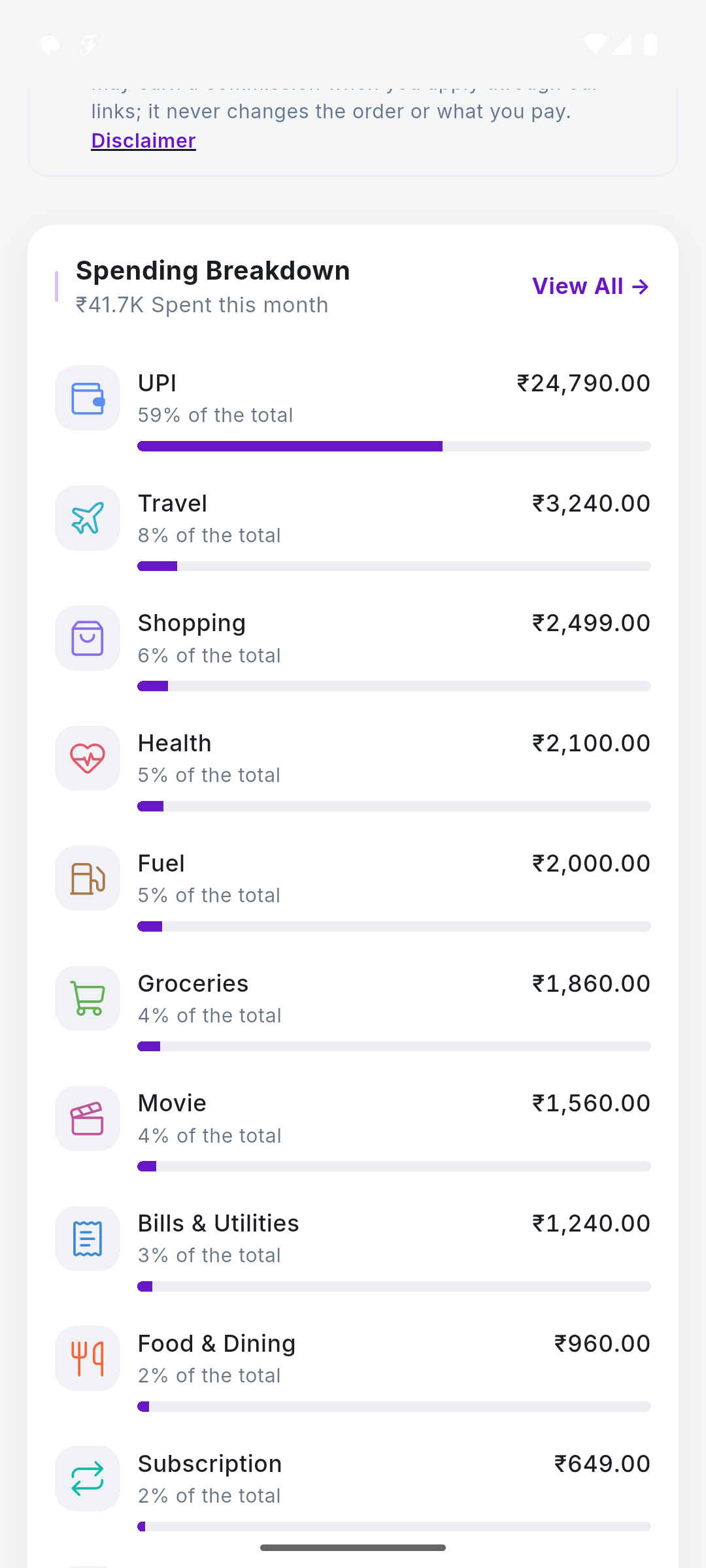
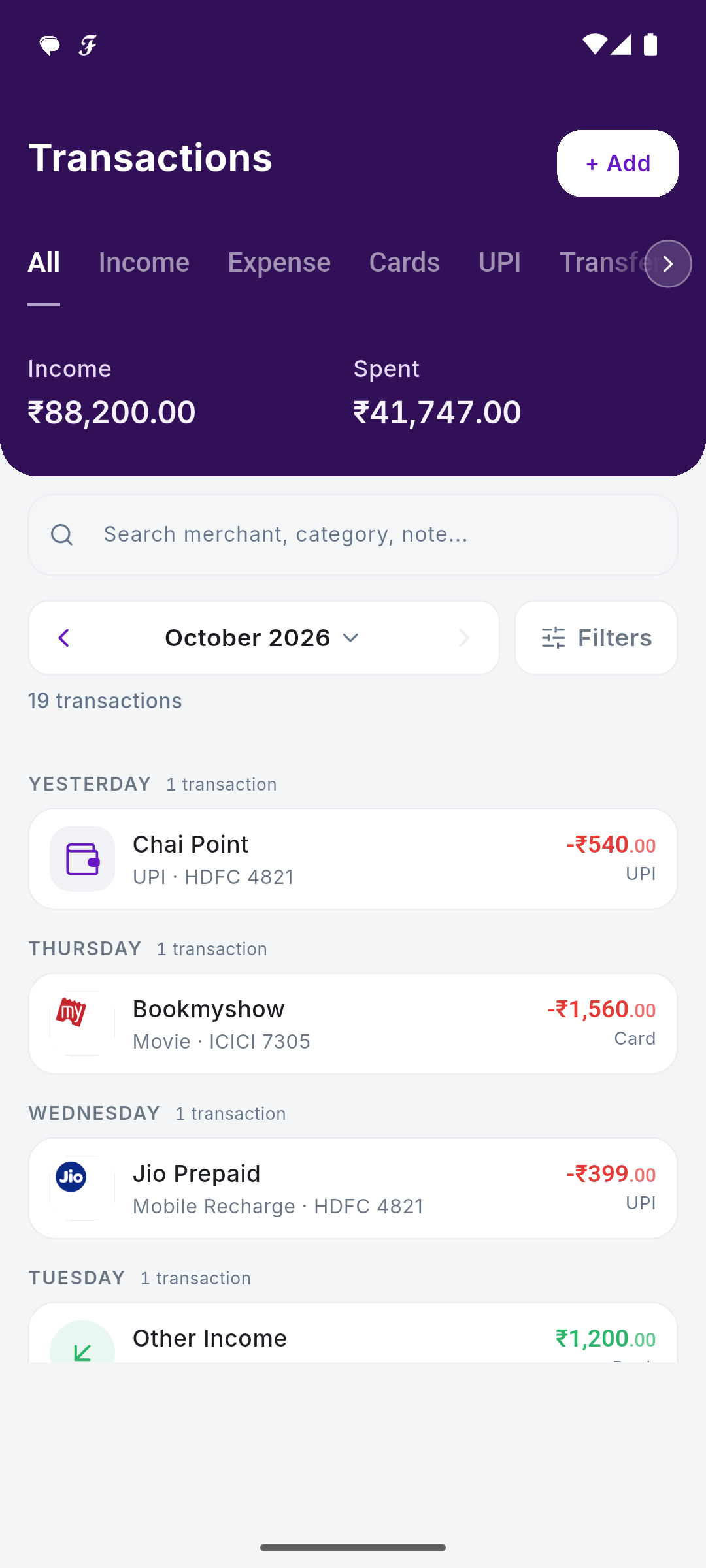
Bias warning: we make SkyloFin. It works the way Walnut did at its core. It reads bank and card SMS on your phone, with permission, and turns them into transactions with amount, date, account or card, shop and category. It ignores personal messages. There is no bank login and no Account Aggregator link.
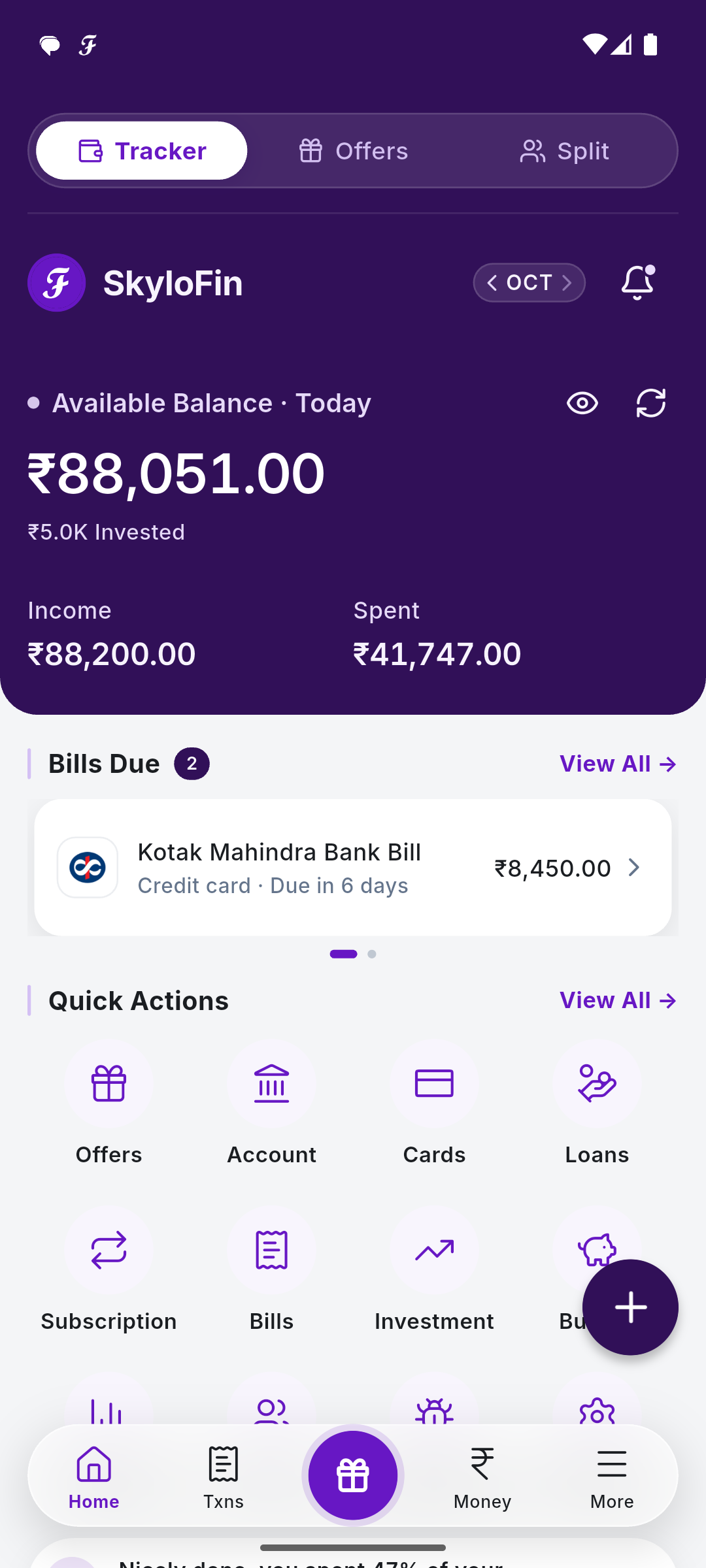
The parts former Walnut users ask about most are covered: card bills are picked up from statement SMS with a reminder before the due date, utility bills and subscriptions can be tracked, and spending shows by category month by month. It adds a Money hub for accounts, cards, loans, investments, cash and wallets, plus net worth, budgets with a warning before you overspend, and PDF reports. Data stays on the phone, backed up to your own Google Drive, encrypted. There are no ads, and no loans are offered inside the app.
Limits: Android only. It is newer than Walnut ever was, so some bank message formats are still being added. It does not move money or make payments. Cash spends are added by hand.

If you want the old Walnut feel without credit offers, SkyloFin is free on Android, with no ads and no bank login.
PennyWise: the open-source option
PennyWise also reads bank SMS on the device. Its listing says there is no sign-up, no ads and nothing uploaded, and its full source code is public under AGPL-3.0, so anyone can check what it does. It detects subscriptions, offers category budgets and has an AI assistant that runs on the phone. It is available on Google Play and F-Droid, with an optional Pro upgrade. It suits people who value transparency above everything else.
Fold: if you have outgrown SMS
Fold is a different model. It connects through India’s Account Aggregator framework with OTP consent, and its site says it does no SMS or email scraping. In return you get bank accounts, credit card dues, mutual funds, stocks, EPF, NPS, FDs and your credit score in one view, with budgets and recurring expense tracking. It runs on Android and iPhone, which matters if you have moved to an iPhone since your Walnut days.
CRED: if card dues were the main thing
Many people used Walnut mostly to remember card due dates. CRED is built around credit cards: its listing covers managing several cards, paying card and utility bills, automatic bill reminders, autopay and spotting hidden charges or duplicate spends. It is not a general expense tracker for your bank account and UPI spends, so pair it with something else if you want the full picture.
Three questions to ask any tracker before you commit
Walnut taught a generation of Indians that tracking can be automatic. The next lesson is to ask how an app pays its bills, because that shapes what it shows you. Before you settle on a replacement, ask:
- How does it make money? Ads, a paid tier, or commissions on loans and cards each push an app in a different direction. SkyloFin explains its model on how we make money.
- Where is my data stored? On the phone, in your own Google Drive, or on the company’s servers. Each has trade-offs in backup and privacy.
- What happens if I leave? Can you export a report or PDF? Can you revoke access cleanly?
An app that is honest about these three will usually be honest about the rest. A good tracker helps you see your money clearly, and anything it also sells you should be easy to ignore. That holds for every app on this page, ours included.
How to switch without losing your history
- Before uninstalling axio, export or note anything you want to keep, like totals by category for the last few months.
- Keep your bank SMS on the phone. SMS apps can only read what is still there, so do not clear your inbox.
- Install the new app and let it scan. Compare one month’s total with your bank statement.
- Re-enter cash spends and any manual notes you care about.
- Revoke SMS permission for any app you no longer use: Settings, Apps, the app name, Permissions.
If you are moving to SkyloFin, the app guide walks through setup, and bills and reminders shows how card dues are picked up.
Frequently asked questions
Is Walnut the same as axio?
Yes. The axio Play listing says it was formerly known as Capital Float, Walnut and Walnut 369. It is the same app, renamed, with lending and investment products added.
Does axio still track expenses?
Yes, its listing still describes SMS-based expense tracking, budgets and bill reminders. You may simply prefer an app that focuses only on tracking.
Which alternative works on iPhone?
Fold works on iPhone. SMS-based apps, including SkyloFin and PennyWise, cannot, because iOS does not allow apps to read SMS.
Will a new SMS app see my old spending?
Only what is still in your SMS inbox. If you deleted old messages or changed phones, that history is gone for any SMS-based app.
Walnut made expense tracking feel effortless. You can still have that. Try SkyloFin free on Android.
Last checked: October 2026.
Updated 20 Oct 2026.