Track Every Rupee. Hand Over Nothing.
Every other expense app wants your bank login. SkyloFin reads the alerts your bank already sends you, on your own phone, and turns them into a picture of your money. We never see any of it.
- FreeNo ads, nothing to buy
- 0Bank logins needed
- 7.0+Android version
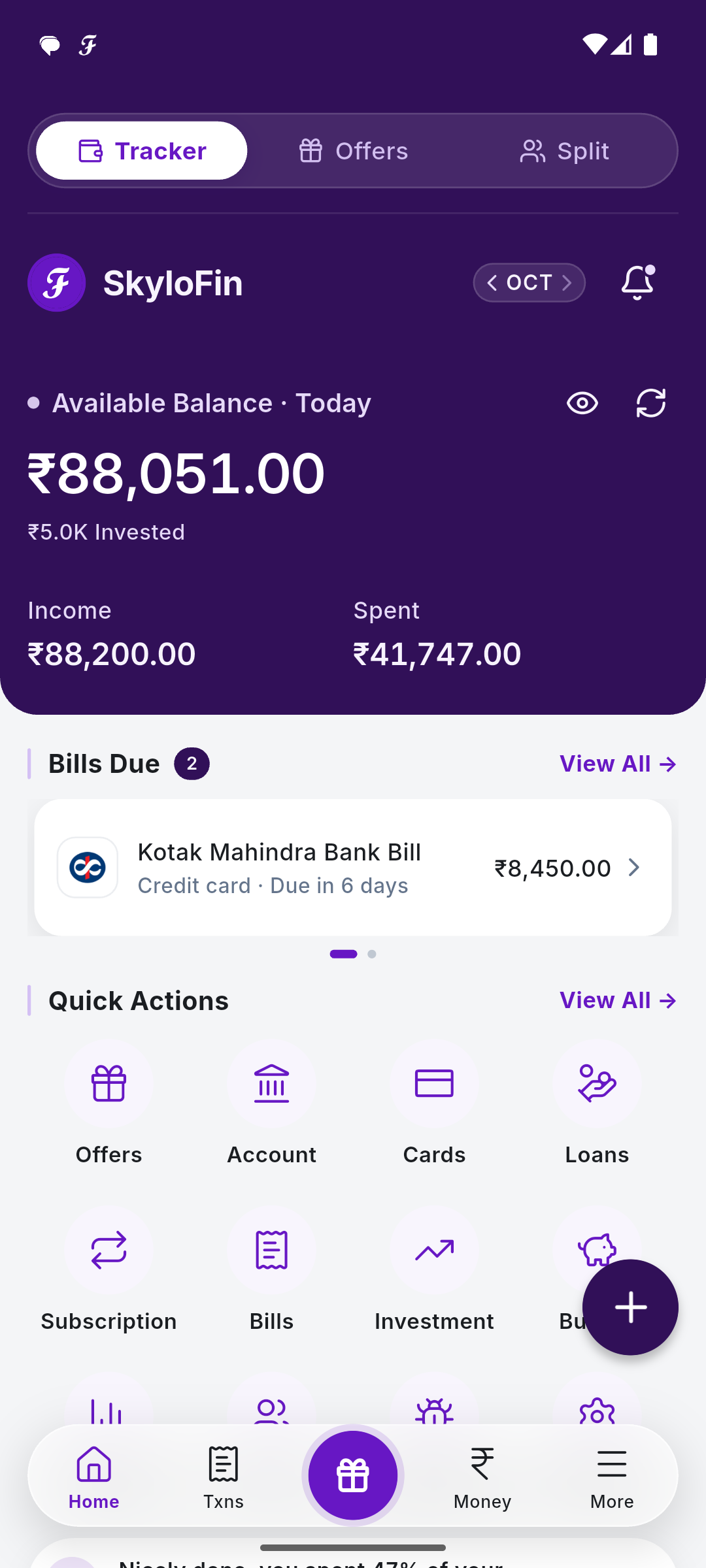
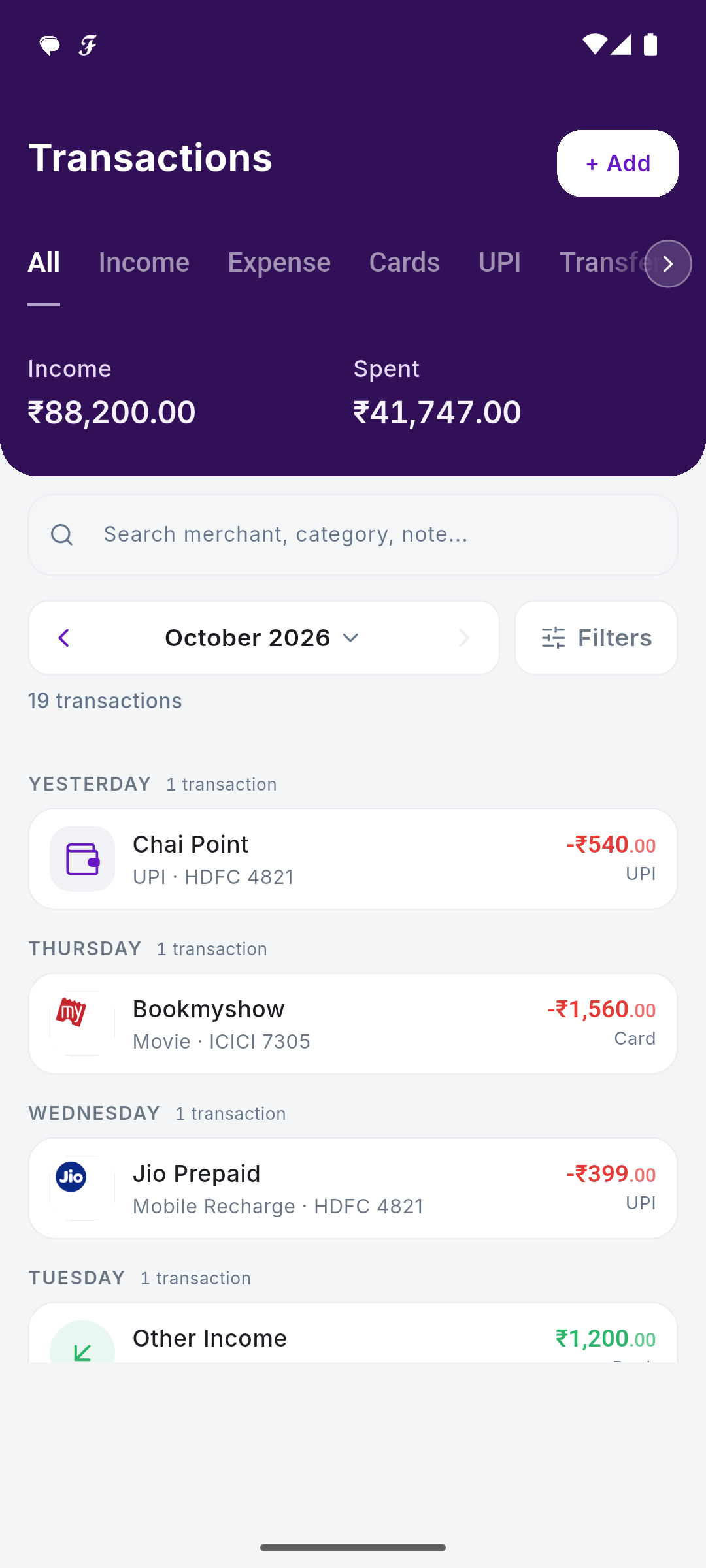
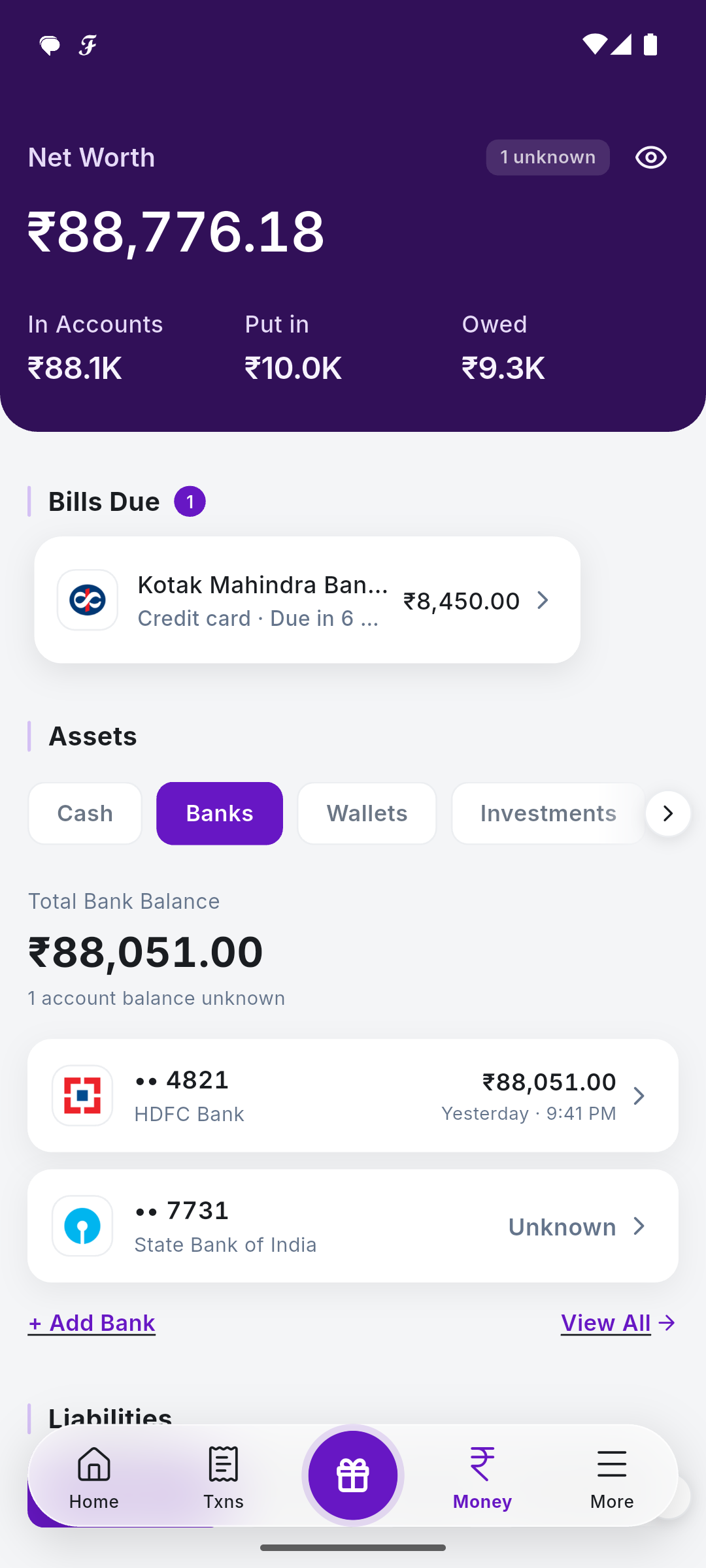
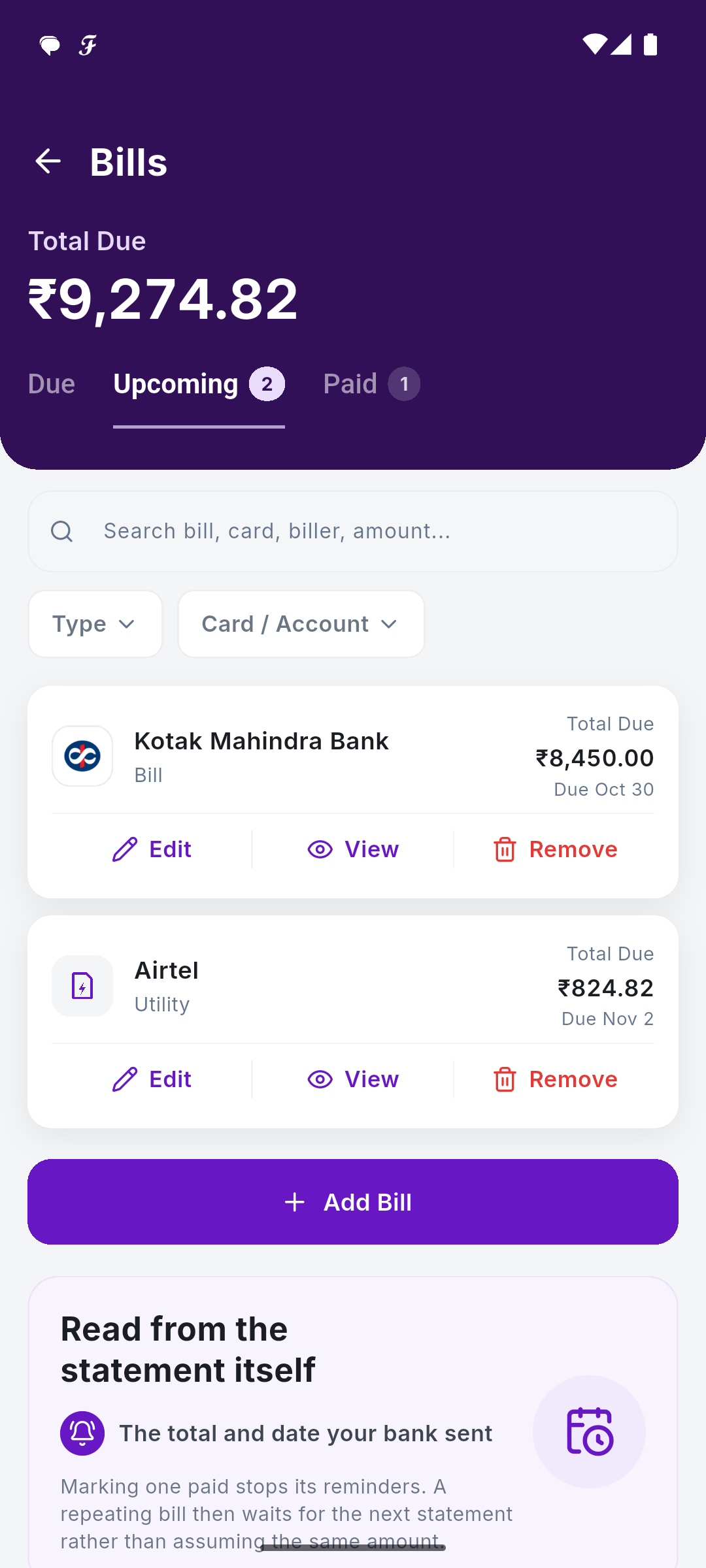
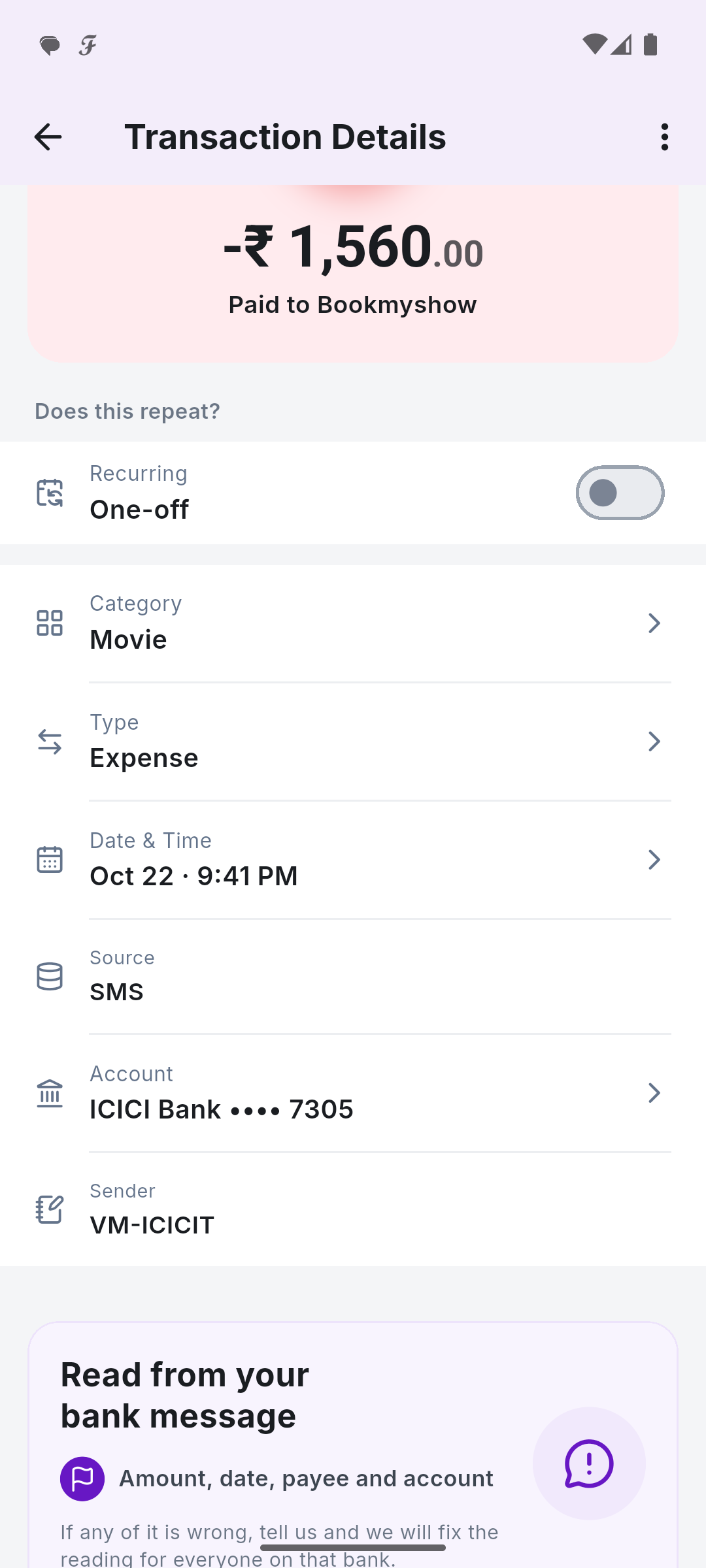
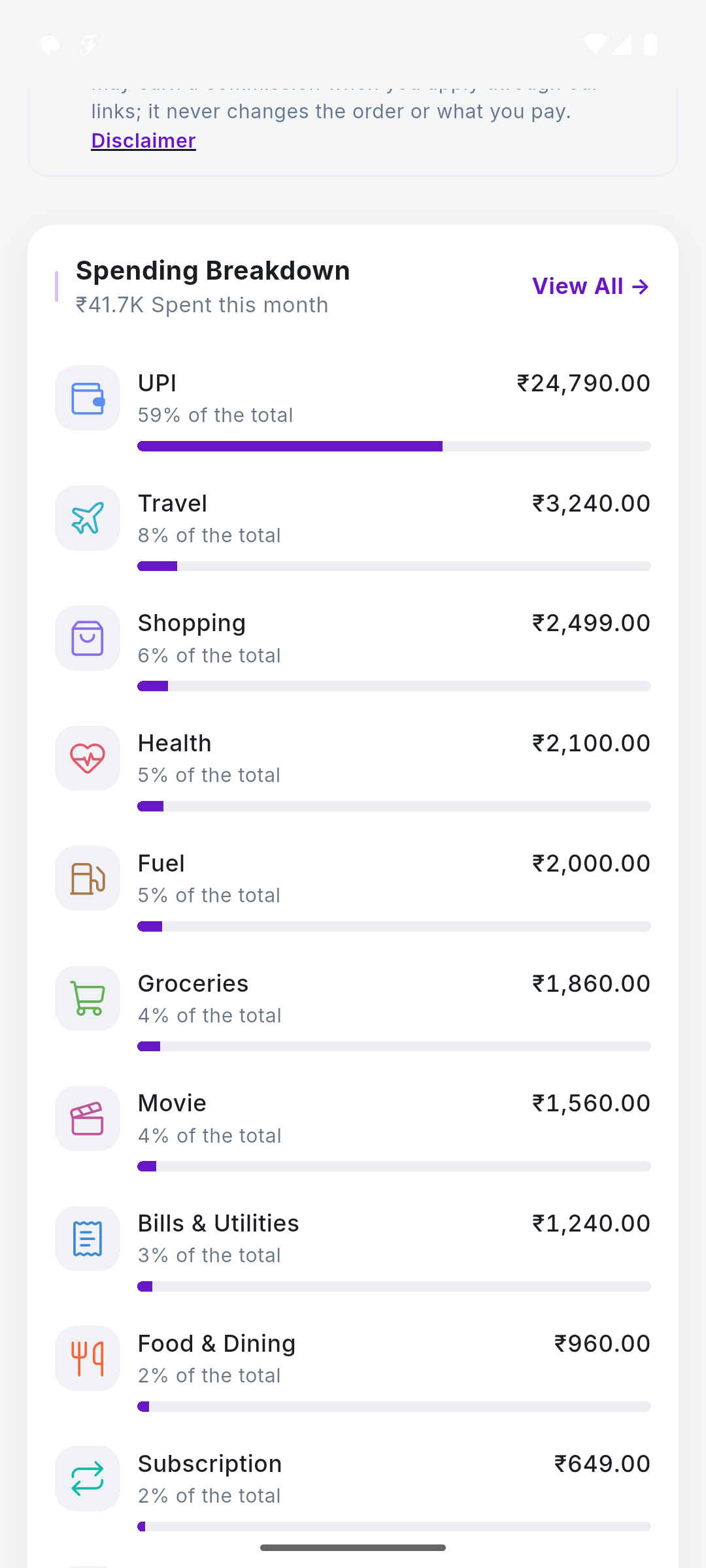
Your Money. One Clear View.
Your spending organised by itself, from the bank alerts you already get.
- Reads bank SMSNo account linking, no passwords.
- Sorts every rupeeInto categories you can edit.
- Bills and cardsStatements found, due dates reminded.
- Your Google DriveBacked up to you, never to us.
How It Works
Four steps, then it runs itself. No manual entry, no receipts, no bank connection.
Turn on SMS reading
Grant SMS access after signing in. The app never gets your bank login, and it can never send or delete anything.
It reads the alerts, on your phone
Bank alerts and card statements are parsed on the device itself. Your financial data never leaves your phone. If a message format is unrecognized, an anonymized template (with all real numbers replaced) may be sent to improve the parser, not linked to you or any real account.
You get the picture
Spending by category, bills coming due, what is left this month. All of it assembled for you, with nothing to type in.
Backed up where you control it
An encrypted backup goes to your own Google Drive, in a folder only the app can open. Change phone, restore, carry on.
Why Use SkyloFin?
An expense tracker that does the tracking. Everything below is in the app today; nothing here is planned or coming soon.
Every transaction, filled in for you
From bank and UPI alertsBank and UPI messages, and the alerts your bank posts as notifications, become transactions with the amount, merchant, account and date already in place. Nothing to type, no receipts to photograph.
Categories that sort themselves
Learns from your editsFood, transport, bills, shopping, groceries and more, worked out from the merchant name. Correct one and it learns.
Credit card bills before they are late
Due dates flagged earlyCard statements are tracked and the due date is flagged ahead of time, not after the interest starts.
Subscriptions you forgot about
Repeat payments spottedThe same amount leaving on the same day each month gets spotted and named, which is usually the moment people cancel one.
Transfers are not spending
No double countingMoving money between your own accounts does not count as an expense, and paying a card bill is not counted twice. Most trackers get this wrong and inflate your month.
The month at a glance
Net worth in one placeWhat came in, what went out, what is left, and the categories taking most of it. Net worth across accounts, cards and investments in one place: SIPs, mutual funds and fixed deposits are picked up from your fund and bank messages.
A PDF statement whenever you need one
Any month, any timeExport any month as a statement to keep, file, or send to your accountant.
Built for Indian banks
Including Hindi alertsIt reads the formats Indian banks and UPI apps actually send, including Hindi: UPI, cards, net banking, ATM withdrawals, cheques and standing instructions.
A backup only you can open
Encrypted, on your DriveAn encrypted copy goes to your own Google Drive, in a folder the app alone can reach. Change phone, restore, carry on. Delete it and it is gone.
Free, and no ads
Nothing to buy, nothing to subscribe to, and no advertising in the app. The website earns referral fees from banks; the tracker is not the product being sold.
Explore Each Feature
What each part of the app does, with real screens and an example.
Private by Design
The reason SkyloFin works without your bank login, and why we cannot show your spending to anyone.
Read on your phone
Bank alerts and statements are parsed on the device. Your financial data never leaves it. A message format the app does not recognise may be sent as an anonymised template, with every real number replaced.
No bank login, ever
The app asks for SMS access after you sign in, never your bank password. It can read messages; it can never send or delete one.
Your backup, your Drive
An encrypted backup goes to your own Google Drive, in a folder only the app can open. Change phone, restore, carry on.
Want It on Your Phone?
SkyloFin is free, with no ads and nothing to buy, and needs Android 7.0 or later. Download it from Google Play and it starts reading your bank alerts in a minute.