A Budget That Tracks Itself.
Most budgets fail because nobody keeps typing in what they spent. SkyloFin fills in your spending from your bank messages, so a budget you set once keeps itself up to date and tells you before you go over.
- 80%First alert
- 100%Second alert
- 1st to 28thYour month can start
What You Get
Everything below is in the app today.
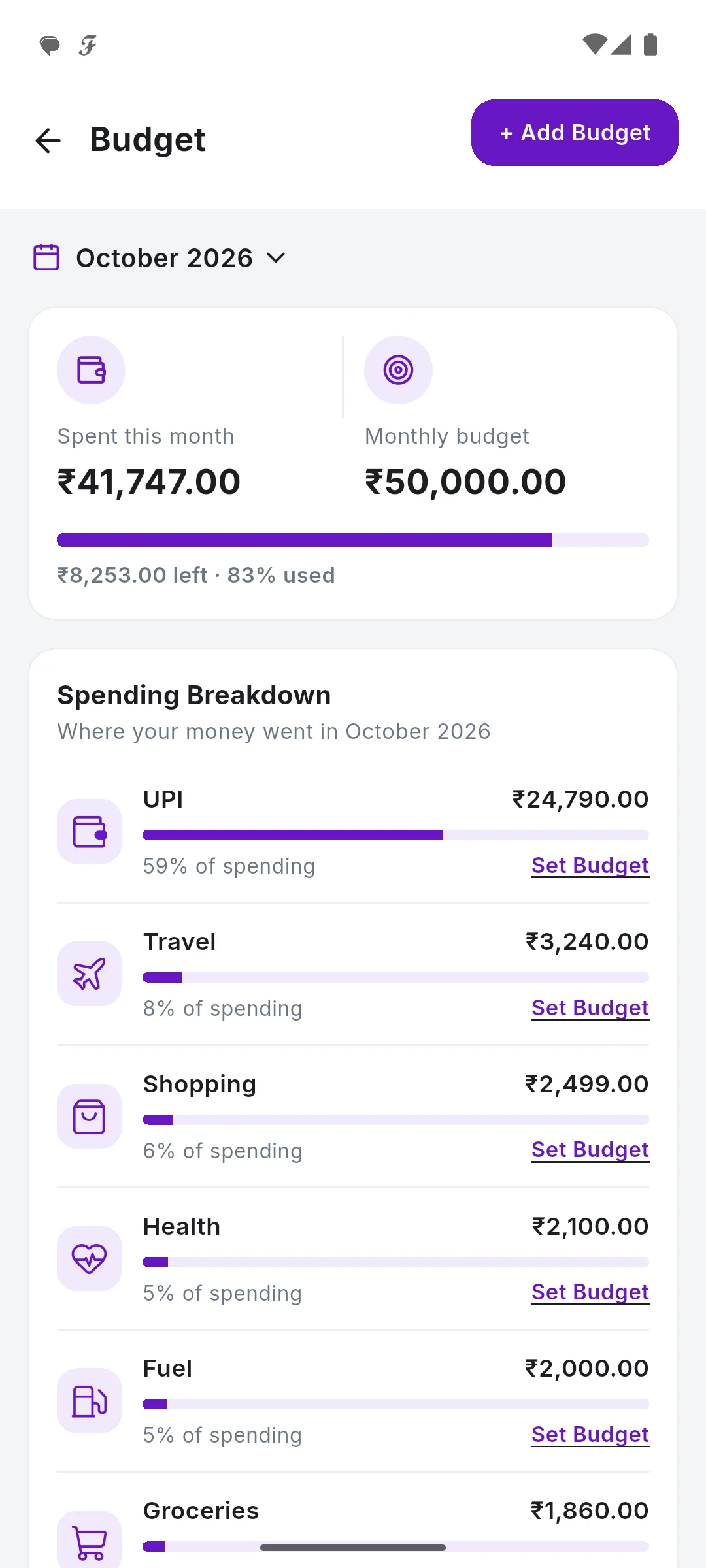
Overall or per category
One limit for the whole month, or a limit for food, shopping, fuel or any category you choose.
Filled in for you
Every payment read from your bank SMS counts against its category's budget straight away.
Warned before, not after
With notifications on, you get an alert at 80% of a budget and another at 100%.
Savings goals
Add a goal with a name and a target, and keep it next to your budgets.
Your month, your dates
Start the month on your salary day or card cycle, any day from the 1st to the 28th, and budgets follow it.
No double counting
Transfers between your own accounts and card bill payments are not spending, so a budget only counts what you really spent.
See It in the App
Real screens with sample data.
How It Works
Open Budget
From Quick Actions or the More tab.
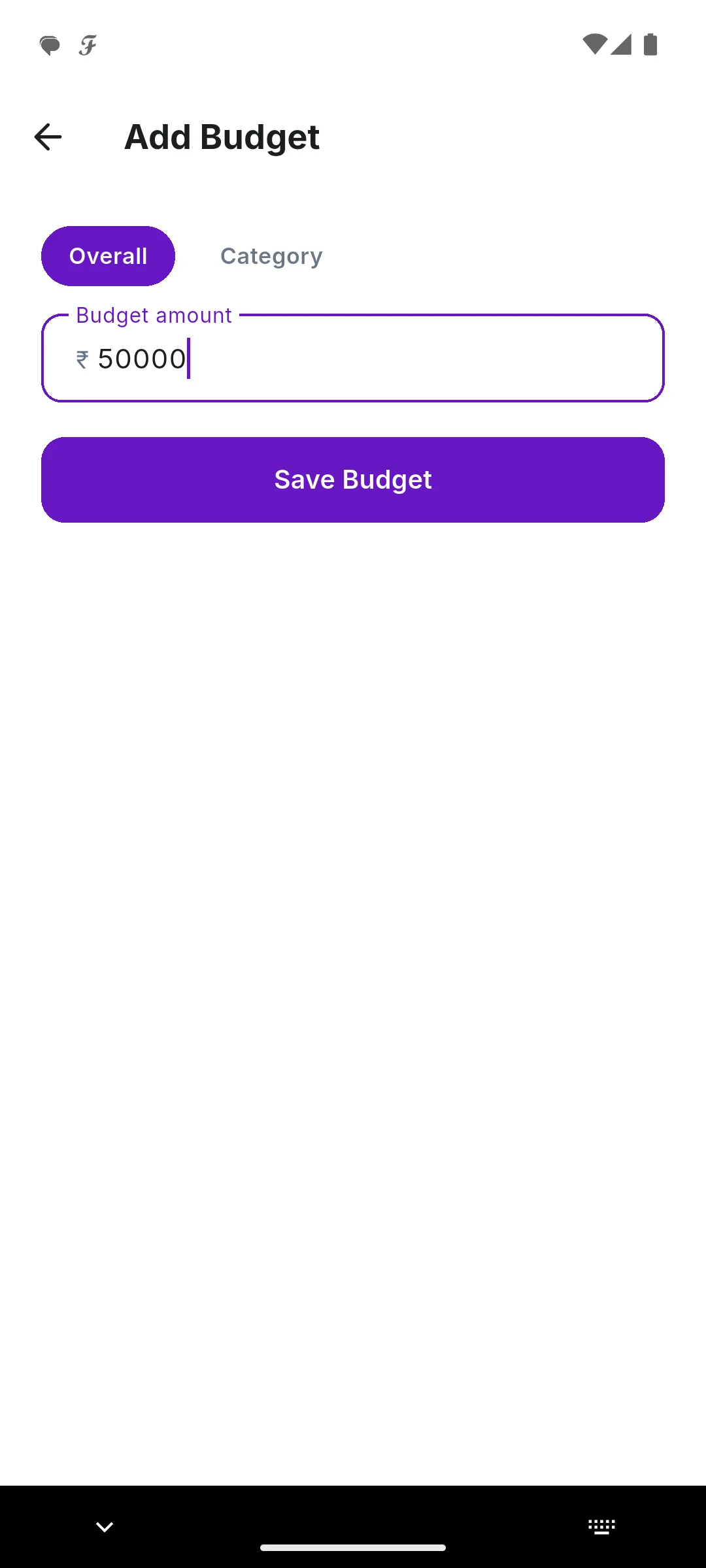
Set a limit
Overall or for one category, then Save Budget.
Spend as usual
Each bank SMS counts against the budget by itself.
Get the alert
At 80% and at 100%, before the month is over.
Step by step, with screenshots
Common Questions
Do I have to enter my spending to use a budget?
No. Spending comes from your bank and UPI messages. Add only cash payments by hand.
Can my budget month start on my salary day?
Yes. In your Profile, under Money, Month Starts On can be any day from the 1st to the 28th. Budgets and monthly totals follow it.
When do budget alerts come?
At 80% of a budget and again at 100%, when notifications are on.
More in SkyloFin - Expense Tracker
Want It on Your Phone?
SkyloFin is free, with no ads and nothing to buy, and needs Android 7.0 or later.