Your SIPs and Funds, Added Up for You.
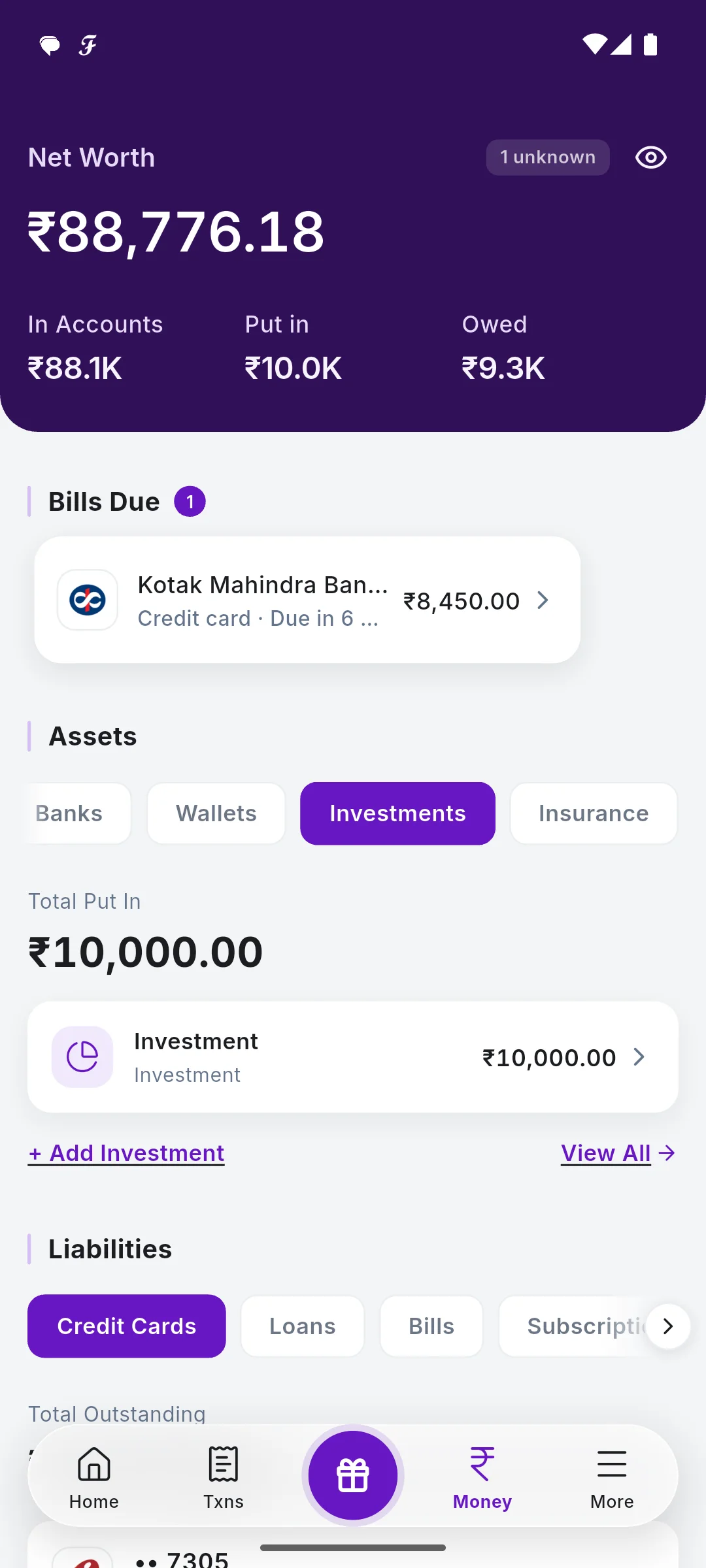
Each time a fund house texts you about a SIP instalment or a purchase, SkyloFin adds it to that fund's holding. Add what sends no SMS, like an FD, gold or PPF, and see all of it in one total and in your net worth.
- By folioEach fund, one holding
- SIPsNot counted as spending
- 10+Types you can add

What You Get
Everything below is in the app today.
SIPs counted, not spent
A SIP instalment adds to its fund's holding, and the money leaving your bank is counted as invested, not as spending.
One holding per folio
Purchase and SIP messages are matched by folio number, so every instalment lands in the same fund.
Add what sends no SMS
Fixed and recurring deposits, PPF, EPF, NPS, gold, stocks, bonds, property and more, with their current value.
Tabs by type
All, Mutual Fund and each type you hold, with the total following the tab.
Part of your net worth
Investments sit under Assets on the Money tab, next to your bank balances and what you owe.
No broker login
Nothing to link: no broker, depository or fund account. Your messages and your own entries only.
See It in the App
Real screens with sample data.
How It Works
A fund message arrives
A SIP instalment or a purchase confirmation.
The holding updates
Matched to the fund by folio number.
Add the rest
FDs, gold, PPF and others with Add Investment.
See the total
By type, and in your net worth.
Step by step, with screenshots
Common Questions
Does SkyloFin show the live value of my mutual funds?
It shows what your fund messages state and the value you enter. It does not connect to a broker or fetch market prices.
Is a SIP counted as an expense?
No. The money that leaves your bank for a SIP is counted as invested, so your spending total stays right.
Can I add an FD or gold?
Yes. Tap Add Investment, enter the name, the current value and the type.
More in SkyloFin - Expense Tracker
Want It on Your Phone?
SkyloFin is free, with no ads and nothing to buy, and needs Android 7.0 or later.