Split Bills with Friends. Settle Up in Two Taps.
Dinners, trips, rent with flatmates: SkyloFin keeps the hisab next to your own spending, works out who owes whom, and sends each friend their share on WhatsApp with your UPI details. Your friends do not need the app.
- FreeNo ads, no limits
- 0Apps your friends need
- UPIFriends pay you directly
What You Get
Everything below is in the app today.
Your friends need no app
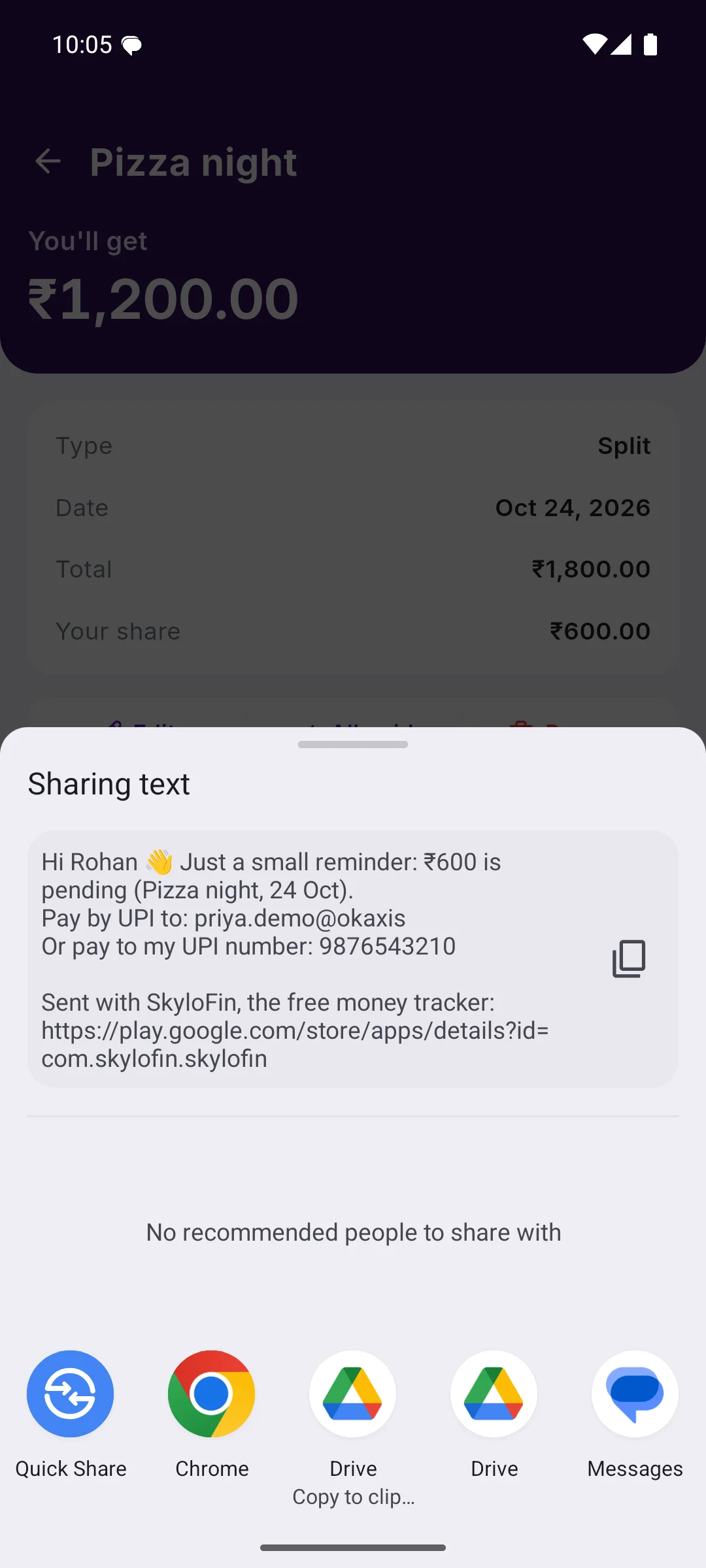
Each friend gets a plain message on WhatsApp, SMS or email: their share, what it was for, and your UPI ID or UPI number to pay to.
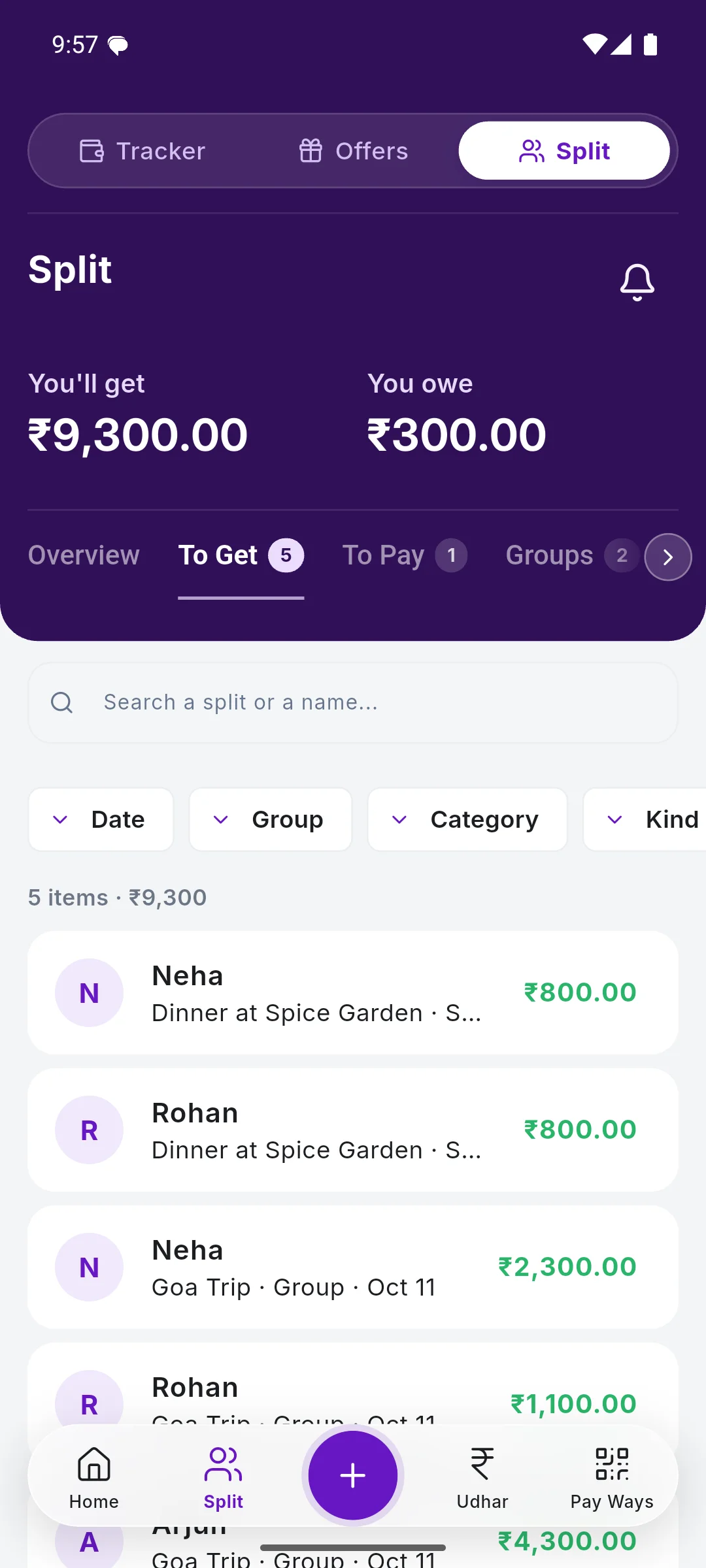
Trips and flats as groups
Add everyone to a group, log each expense as it happens, and SkyloFin settles the whole trip in the fewest payments.
Split it any way
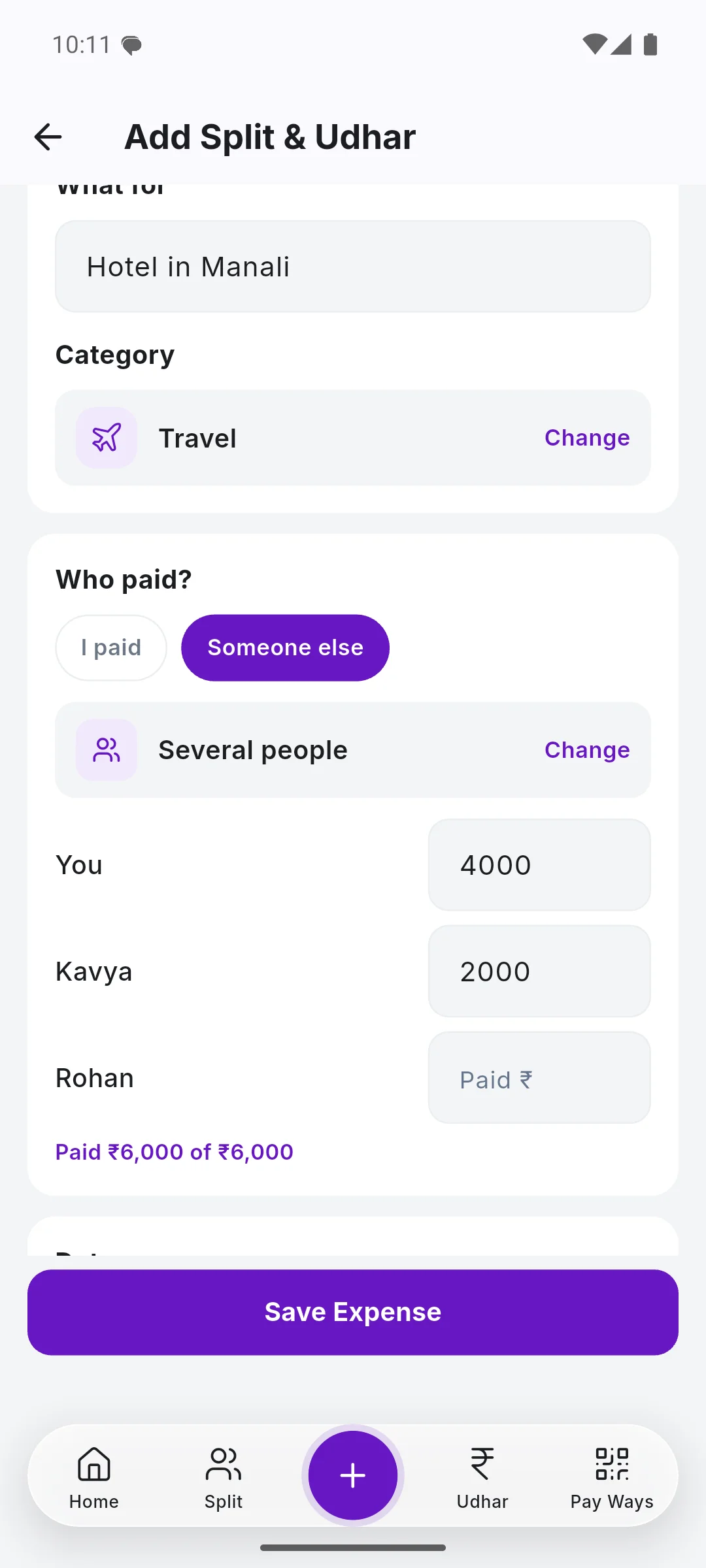
Equally, by exact amounts, by percent or by shares. A bill two people paid together is split by what each one actually paid.
Paid back? Marked for you
When a friend pays you by UPI and your bank's SMS arrives, SkyloFin matches it to what they owe and marks it paid. If it is not sure, it asks.
Split a payment you made
Swipe right on a payment in your transactions and split it. It stays linked to the bank message, so nothing is counted twice.
A summary when the trip ends
Close the trip and send the group one summary: what each person paid, their share and who pays whom. Export it as a PDF or a spreadsheet.
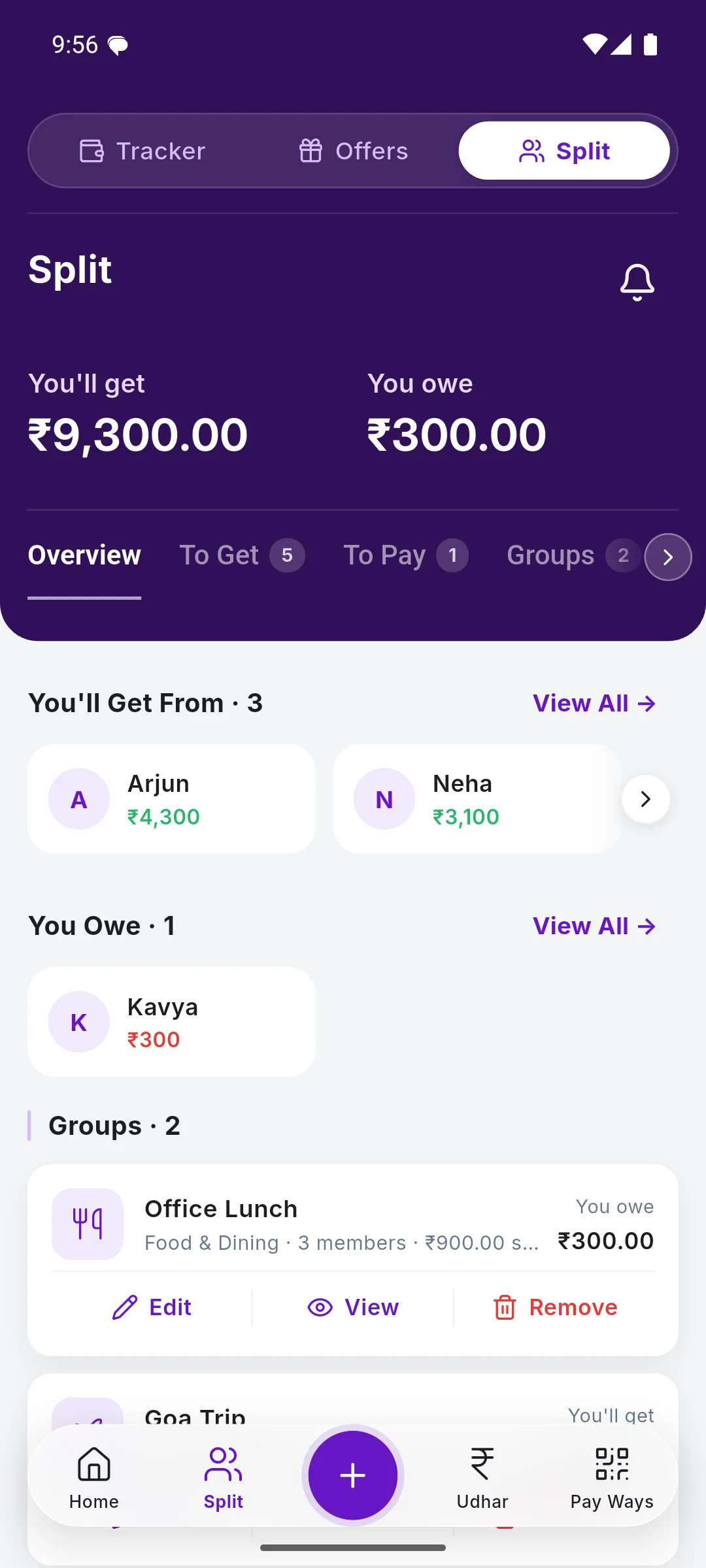
See It in the App
Real screens with sample data.
How It Works
Add the bill
The amount, what it was for and who was in it. Pick friends from your contacts or type a name.
Send each share
One tap per friend opens WhatsApp with their share and your UPI details.
Get paid by UPI
Friends pay you in their own UPI app. SkyloFin never touches the money.
It settles itself
Your bank's SMS marks it paid, or you mark it with one tap.
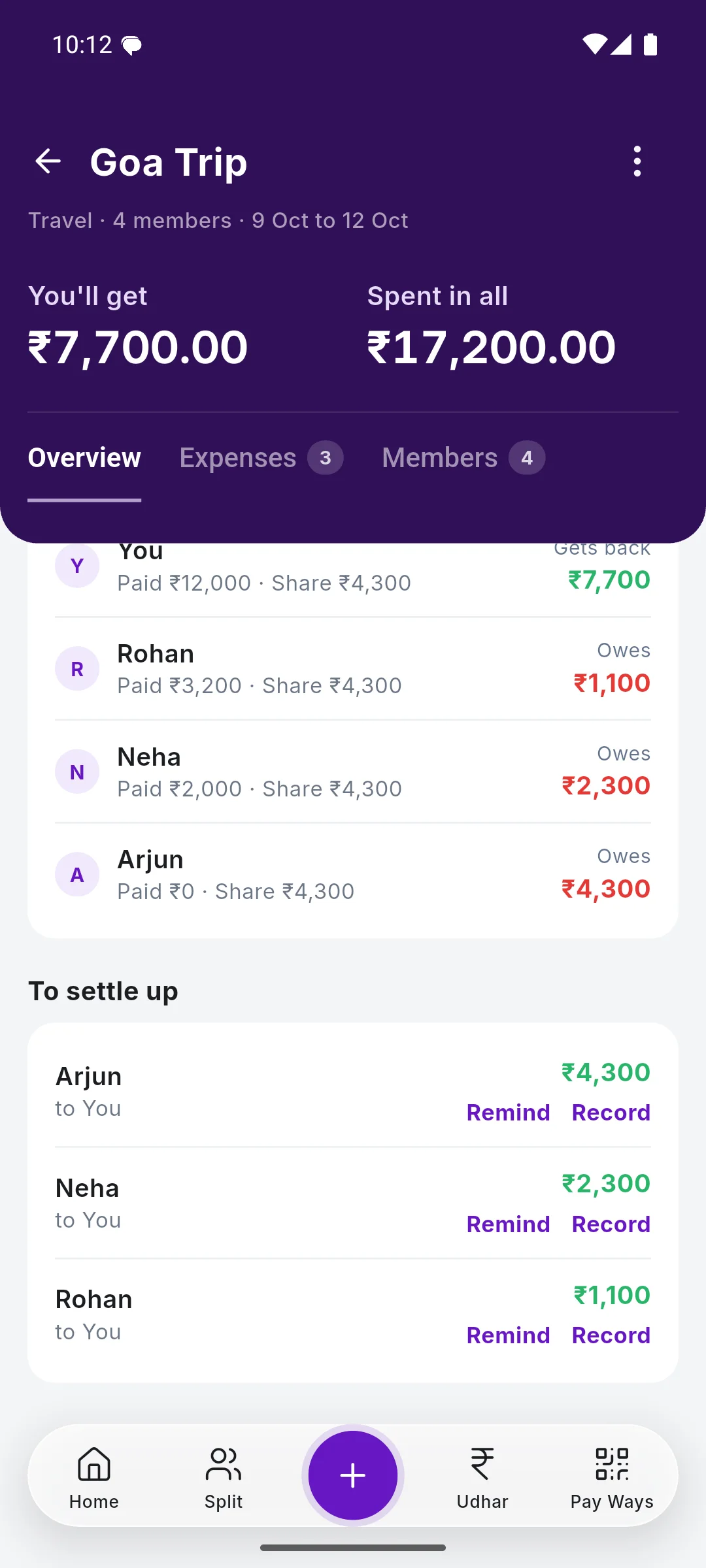
A Goa trip for four, settled in three payments
You, Arjun, Neha and Rohan. You paid the hotel (₹12,000), Rohan the beach dinner (₹3,200) and Neha the scooters (₹2,000): ₹17,200 in all, ₹4,300 each.
| Arjun pays you | ₹4,300 |
| Neha pays you | ₹2,300 |
| Rohan pays you | ₹1,100 |
Three payments clear the whole trip. Names and amounts are an example.
Step by step, with screenshots
Common Questions
Do my friends need SkyloFin to split a bill?
No. You keep the hisab in your app and send each friend a message with their share and your UPI details. They pay from Google Pay, PhonePe, Paytm or any UPI app.
Does SkyloFin collect or send the money?
No. Friends pay you directly by UPI. SkyloFin only keeps the record and, when your bank's SMS shows the payment, marks it paid.
Can I split a payment I already made?
Yes. Swipe right on the payment in your transactions, or open it and choose Split & Udhar from the menu. You can add it to a group or split it with friends.
What about money I lent a friend?
That is udhar, and it has its own page in the app: note what you gave or got, and SkyloFin reminds you and marks it paid back. See Udhar.
What if two people paid one bill?
Choose Several people under Paid by and enter what each paid. The balances use what each person actually paid.
Is my friends' data shared with anyone?
No. Names and numbers stay on your phone and in your own encrypted Google Drive backup. A friend gets only the messages you choose to send.
Can friends who have SkyloFin see the trip?
Yes, if you share it with them. A shared trip is locked on your phone with a key only its members hold, so even SkyloFin can't read it: not the names of expenses, amounts or notes. Your own transactions and bank SMS are never shared.
More in SkyloFin - Expense Tracker
Want It on Your Phone?
SkyloFin is free, with no ads and nothing to buy, and needs Android 7.0 or later.