Every Transaction. Nothing to Type.
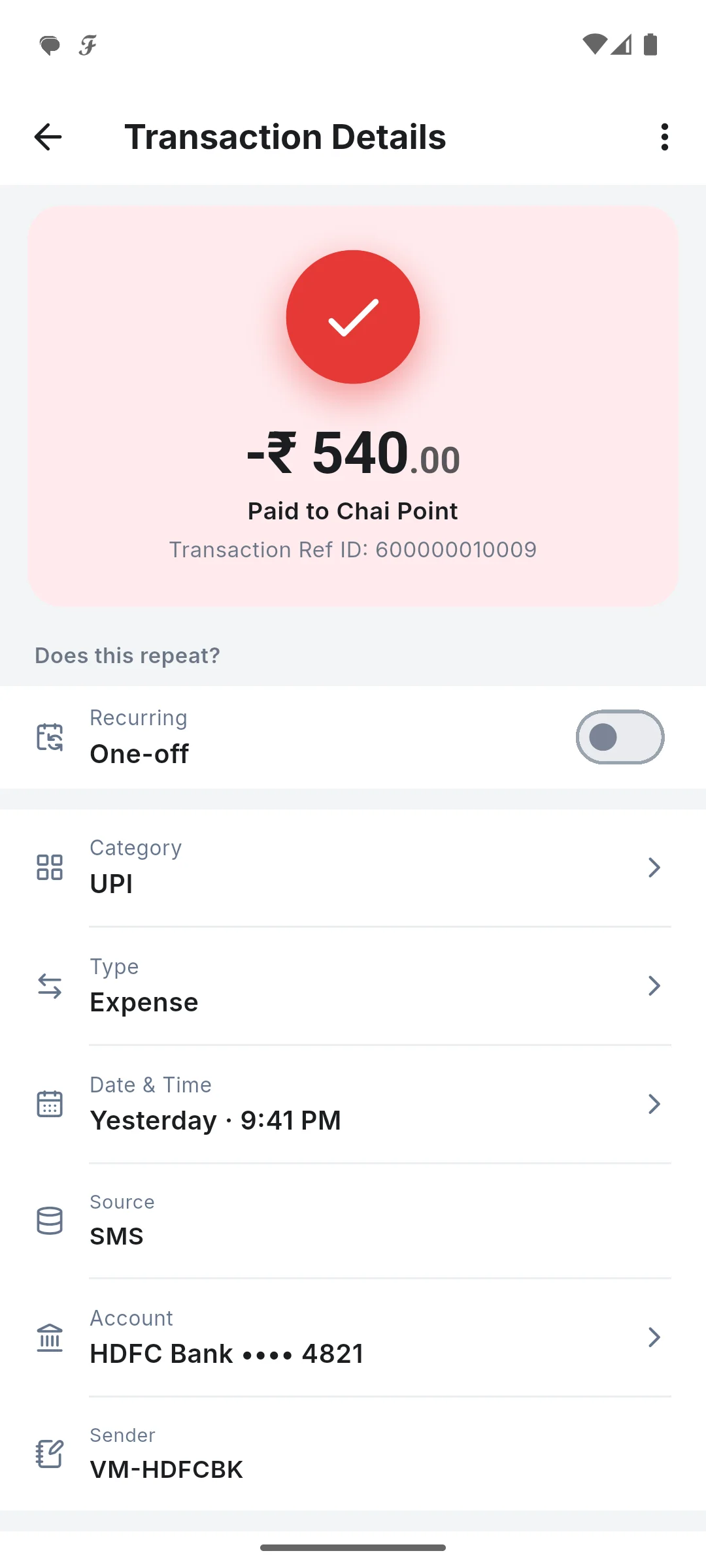
Your bank already texts you each time money moves. SkyloFin reads those messages on your own phone and turns each one into a transaction with the amount, merchant, account and category filled in. You never type, and you never hand over a bank login.
- 90 daysRead on the first sync
- 0Bank logins needed
- On phoneWhere SMS are read
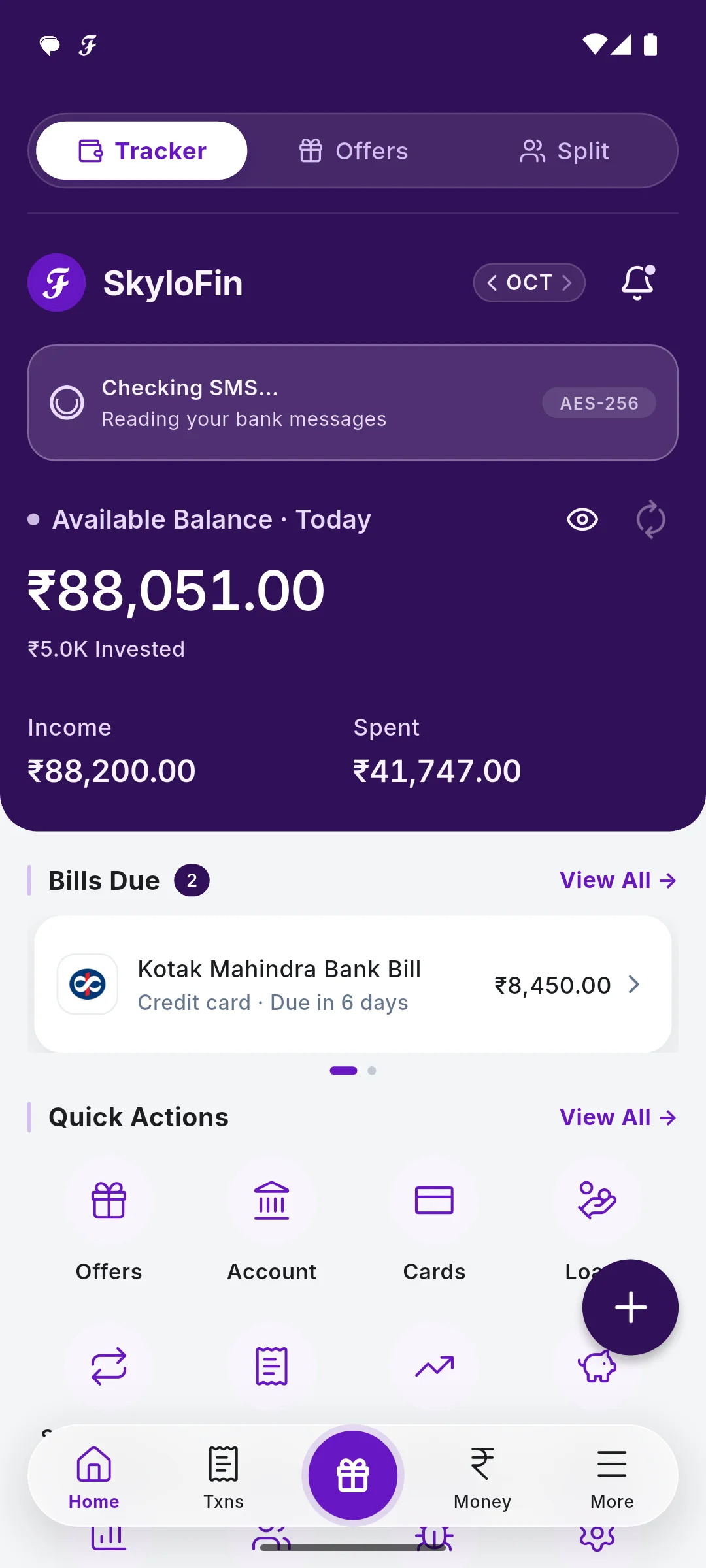
What You Get
Everything below is in the app today.
Read on your phone
Bank and UPI messages, and the alerts your bank app shows as notifications, are read on the device. Your financial data never leaves it.
Categories that learn
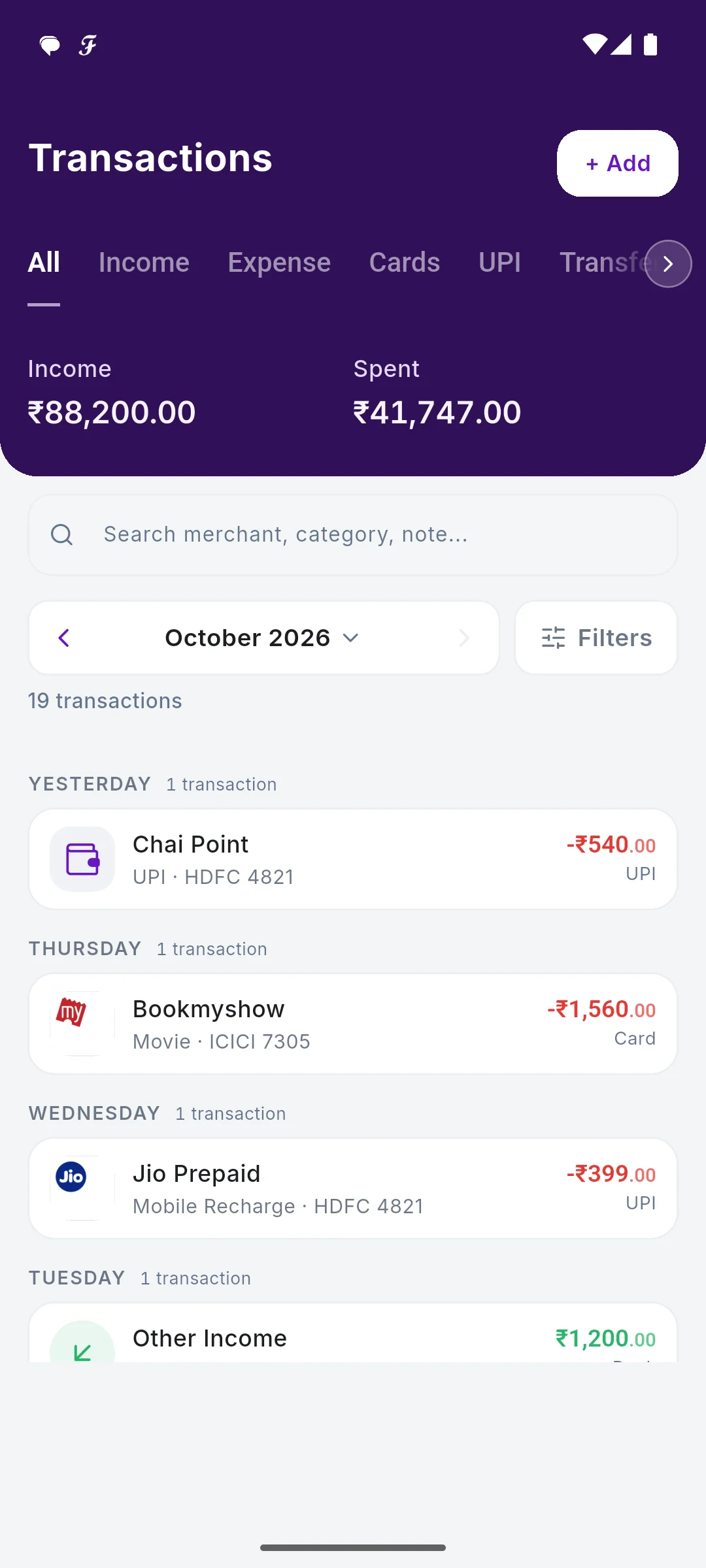
Food, transport, bills, shopping and more, from the merchant's name. Change one and future payments to that merchant follow.
Transfers are not spending
Money between your own accounts, a card bill paid from your bank, or a SIP is not counted as spending, so your month is not inflated.
Built for Indian banks
UPI, cards, net banking, ATM withdrawals, cheques and standing instructions, in the formats Indian banks send, Hindi included.
Find anything
Search by merchant, category or note, and filter by income, expense, cards, UPI, transfers, month and bank.
Read only, never more
SkyloFin can read messages; it can never send or delete one. It never asks for your bank password.
See It in the App
Real screens with sample data.
How It Works
Sign in and allow SMS
Sign in with Google and turn on Bank SMS. The app never asks for a bank login.
The last 90 days appear
Bank messages already on your phone become transactions in a few seconds.
New ones arrive by themselves
Each new bank SMS is added as it comes in.
Fix once, it learns
Change a category or a name once; the next payment follows it.
Step by step, with screenshots
Common Questions
Does SkyloFin need my bank login or net banking password?
No. It reads the alerts your bank already sends to your phone. It never asks for a bank password, PIN or OTP.
Are my SMS sent to SkyloFin's servers?
No. Messages are read on your phone. If a message format is not recognised, an anonymised template, with every real number replaced, may be sent so the reader can be improved.
What about cash payments?
Add them by hand in the Txns tab with + Add. ATM withdrawals are counted as cash in hand automatically.
Which banks does it work with?
It reads the message formats Indian banks and UPI apps send, including Hindi. If one of yours is missed, you can report it from the transaction or the Help screen.
More in SkyloFin - Expense Tracker
Want It on Your Phone?
SkyloFin is free, with no ads and nothing to buy, and needs Android 7.0 or later.