Find Any Rupee, From Any Page.
Which shop was that 499 from? When is the HDFC EMI due? SkyloFin's search sits at the top of every main page and looks through everything at once: transactions, accounts and cards, bills, investments and pages of the app.
- 1 boxFor everything
- Every pageIn the top bar
- On phoneNothing sent anywhere
What You Get
Everything below is in the app today.
Everything at once
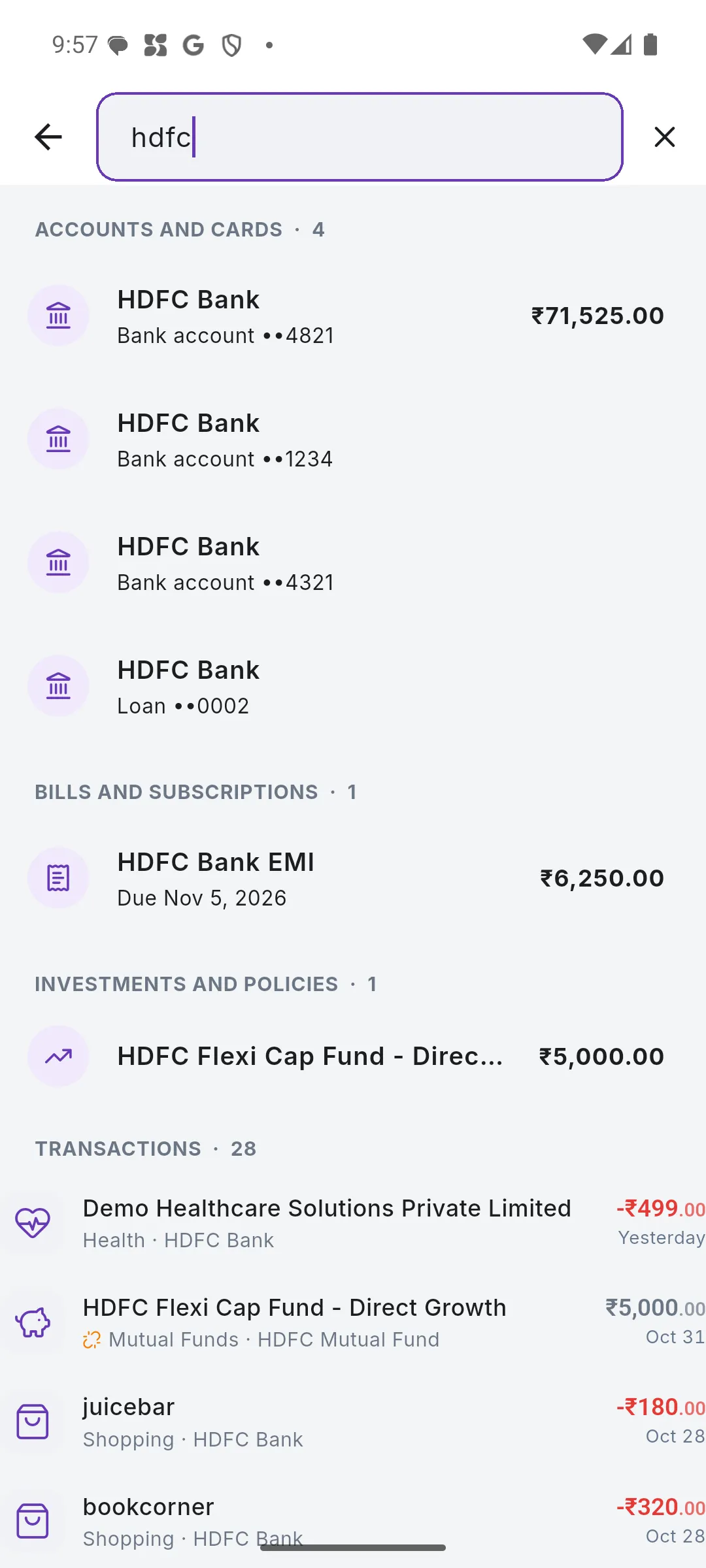
Transactions, accounts and cards, bills and subscriptions, investments and policies, and the app's own pages.
By amount too
Type 499 and find every payment of that amount.
By bank or card
Type a bank's name to see its accounts, cards, loans and payments together.
On every main page
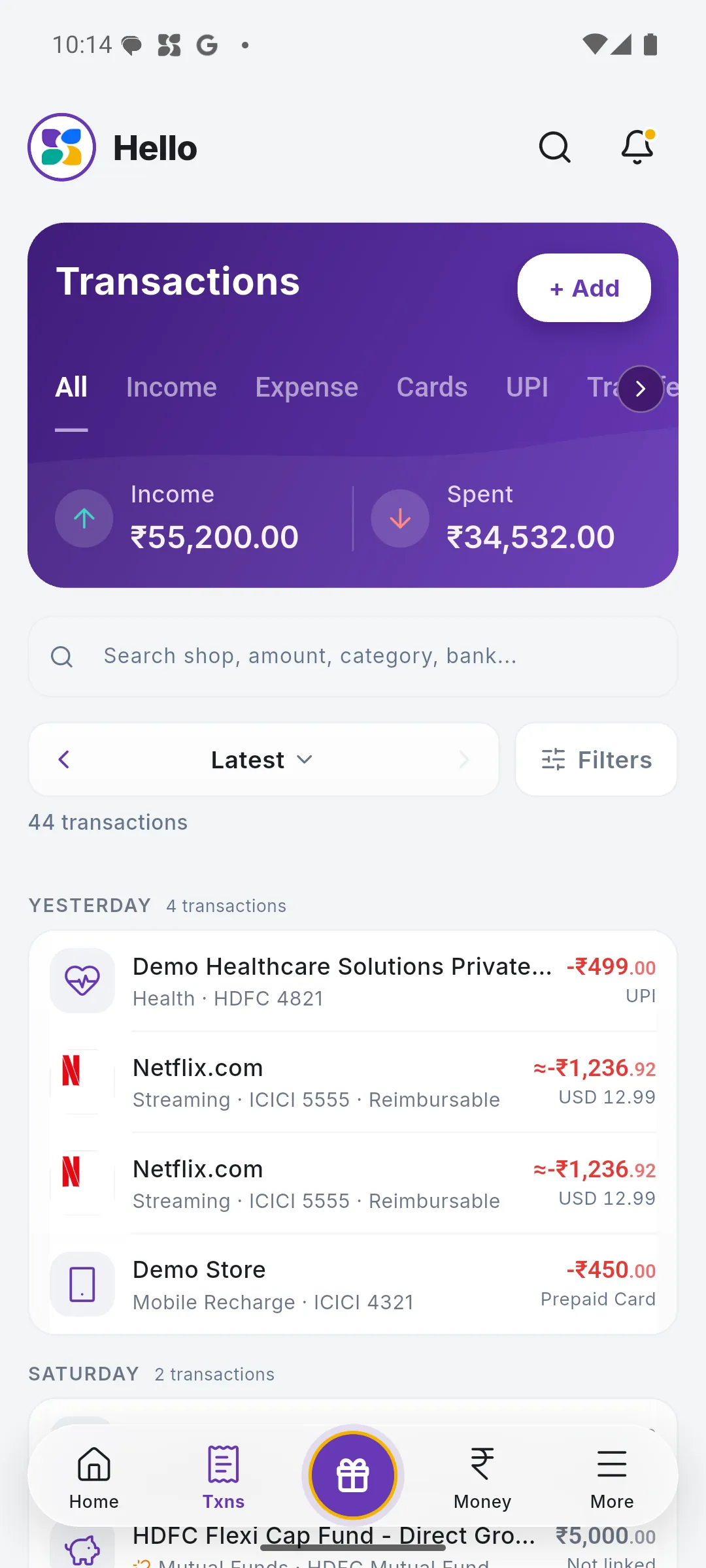
The search button sits in the top bar of Home, Transactions, Money, Cards, Bills, Budget and more.
Categories and tags
Search a category or your own tag to pull those transactions up.
On your phone
Search runs on your own data on the phone; nothing is sent anywhere.
See It in the App
Real screens with sample data.
How It Works
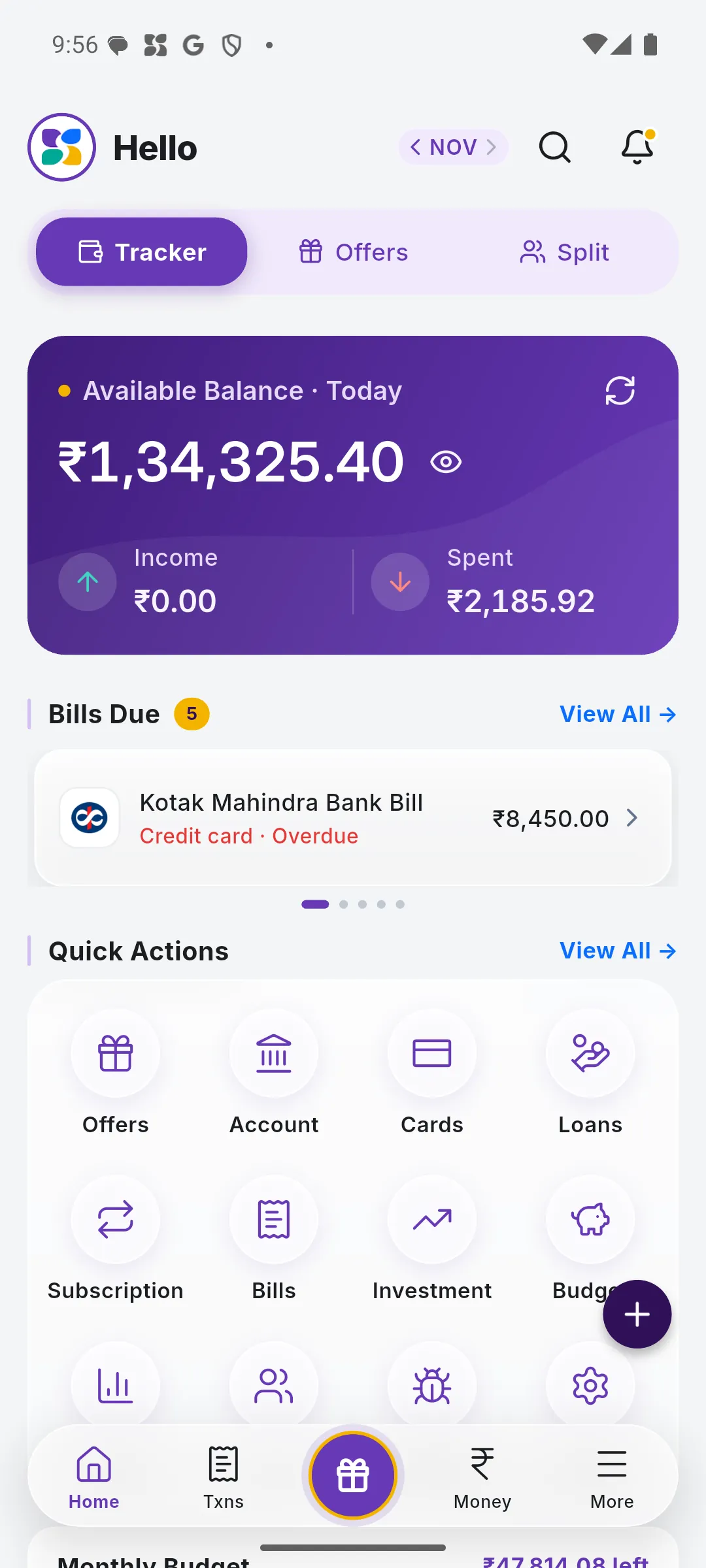
Tap the search button
In the top bar, beside the bell.
Type anything
A shop, an amount, a bank, a fund or a tag.
See it grouped
Accounts, bills, investments and transactions, each in its own list.
Tap a result
It opens straight on its page.
Step by step, with screenshots
Common Questions
01Can I search by amount?
Yes. Type the amount, for example 499, and every transaction of that amount appears.
02Does search look at all my months?
Yes. It looks through everything on your phone, not only the month on screen.
More in SkyloFin - Expense Tracker
Want It on Your Phone?
Free, no ads. It reads your bank SMS on your phone, and your transactions stay there.
Needs Android 7.0 or later.