Your Older Transactions, In One Import.
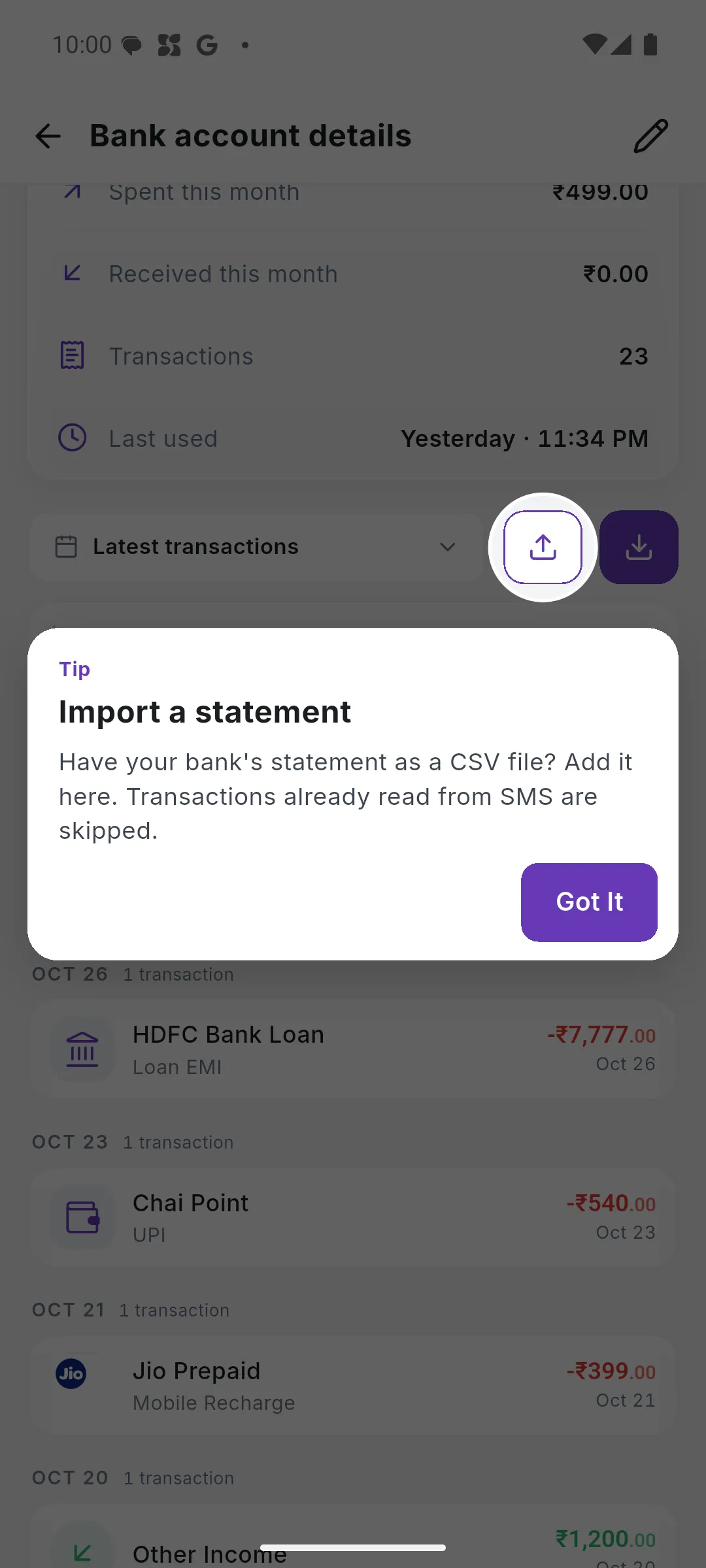
SMS reading starts from the messages on your phone. For the months before that, download your bank statement as a CSV file and add it to the account in SkyloFin. You see every row before it is imported, and nothing is counted twice.
- CSVFrom your bank
- 0Duplicates of SMS rows
- PreviewBefore anything is added
What You Get
Everything below is in the app today.
The file your bank gives
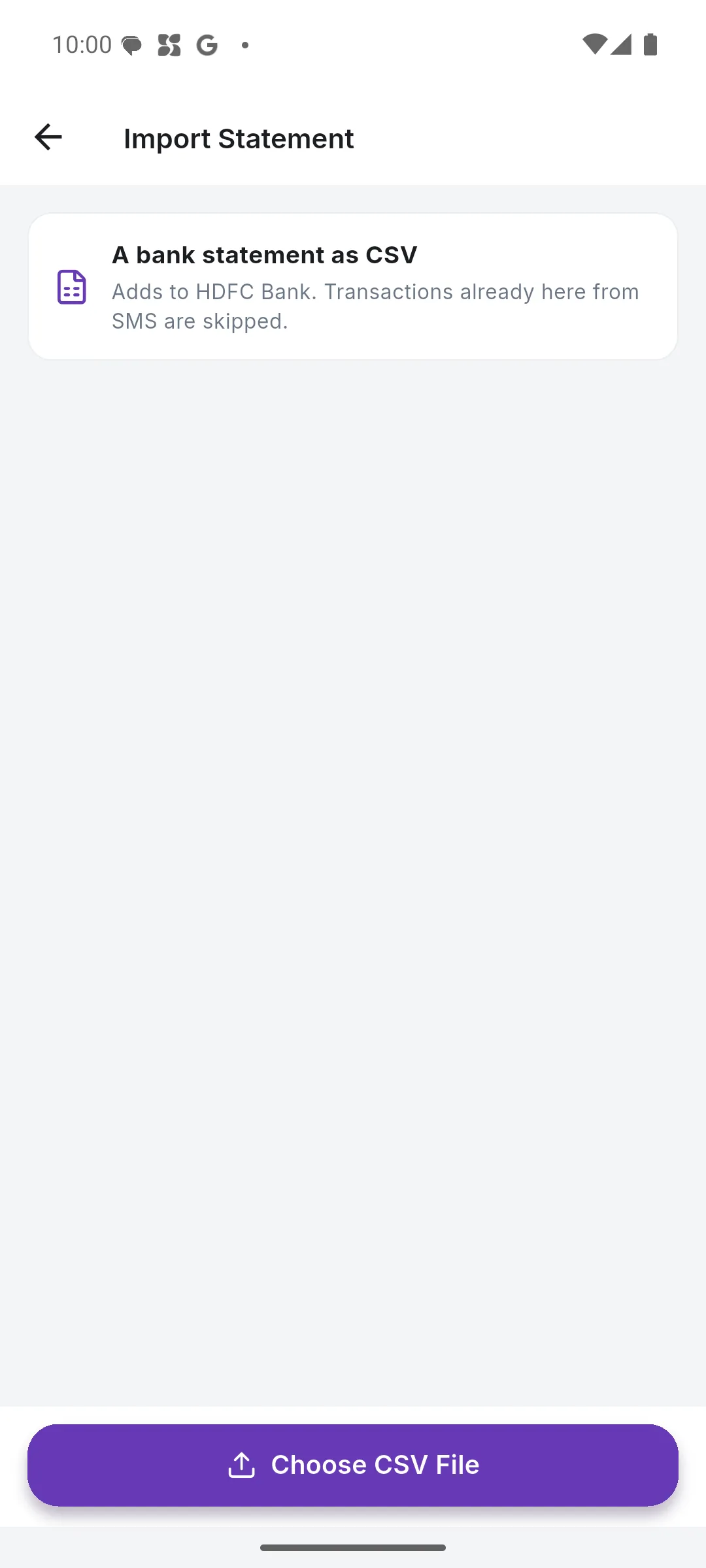
Download the statement from net banking as a CSV file and pick it in the app.
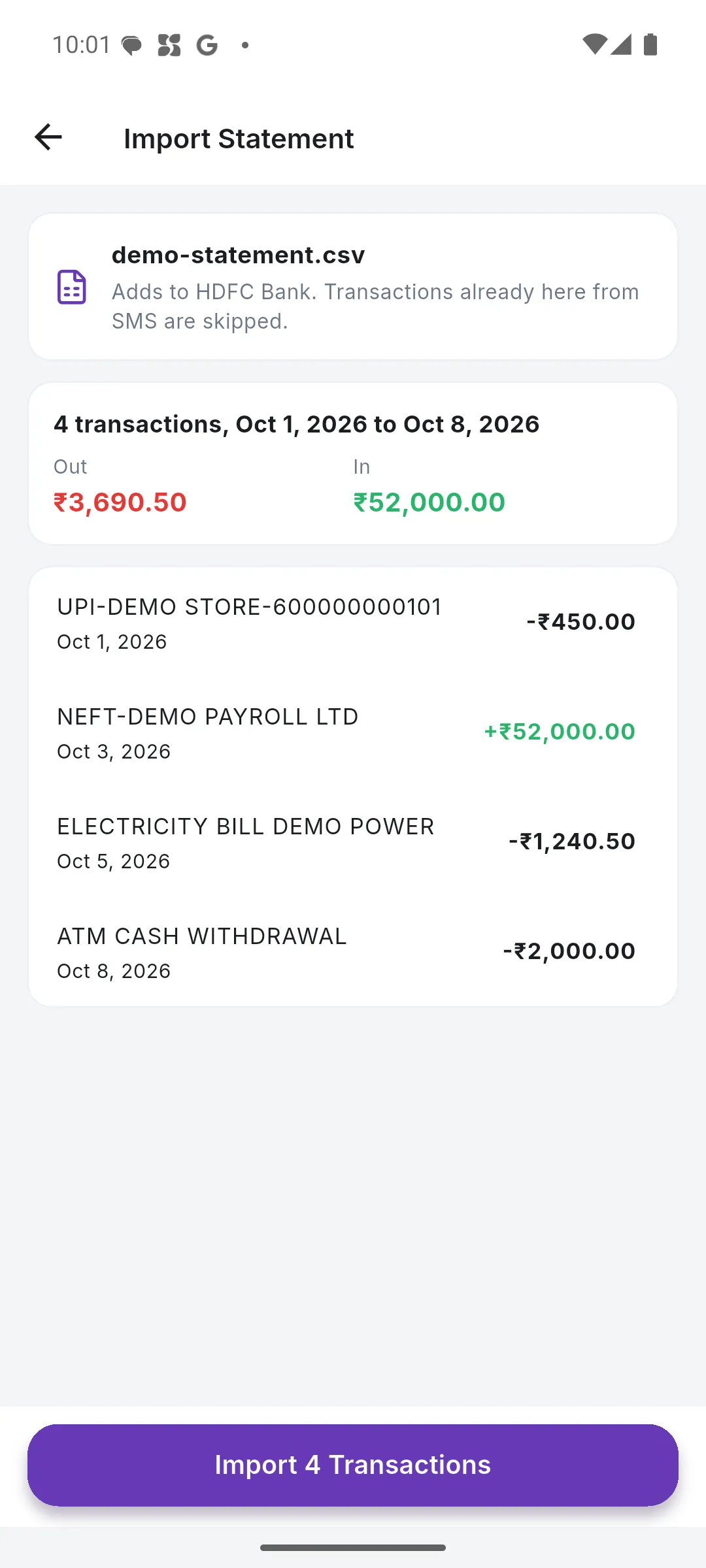
See before you import
Every row is shown with its date and amount, money in and money out, before anything is added.
Nothing counted twice
Transactions SMS already brought in are skipped.
Into the right account
You import from the account's own page, so every row lands on that account.
Categories as usual
Imported rows get categories the same way SMS rows do.
Stays on your phone
The file is read on the phone and never uploaded.
See It in the App
Real screens with sample data.
How It Works
Get the CSV
Download your statement from your bank as CSV.
Open the account
Money, Bank Accounts, then View on that account.
Tap import
Choose CSV File and pick the statement.
Check and import
Look over the rows, then tap Import.
Step by step, with screenshots
Common Questions
01Which file types work?
CSV files, the spreadsheet download most Indian banks offer in net banking. PDF statements are not read.
02Will I get duplicates?
No. A transaction already read from SMS is skipped.
More in SkyloFin - Expense Tracker
Want It on Your Phone?
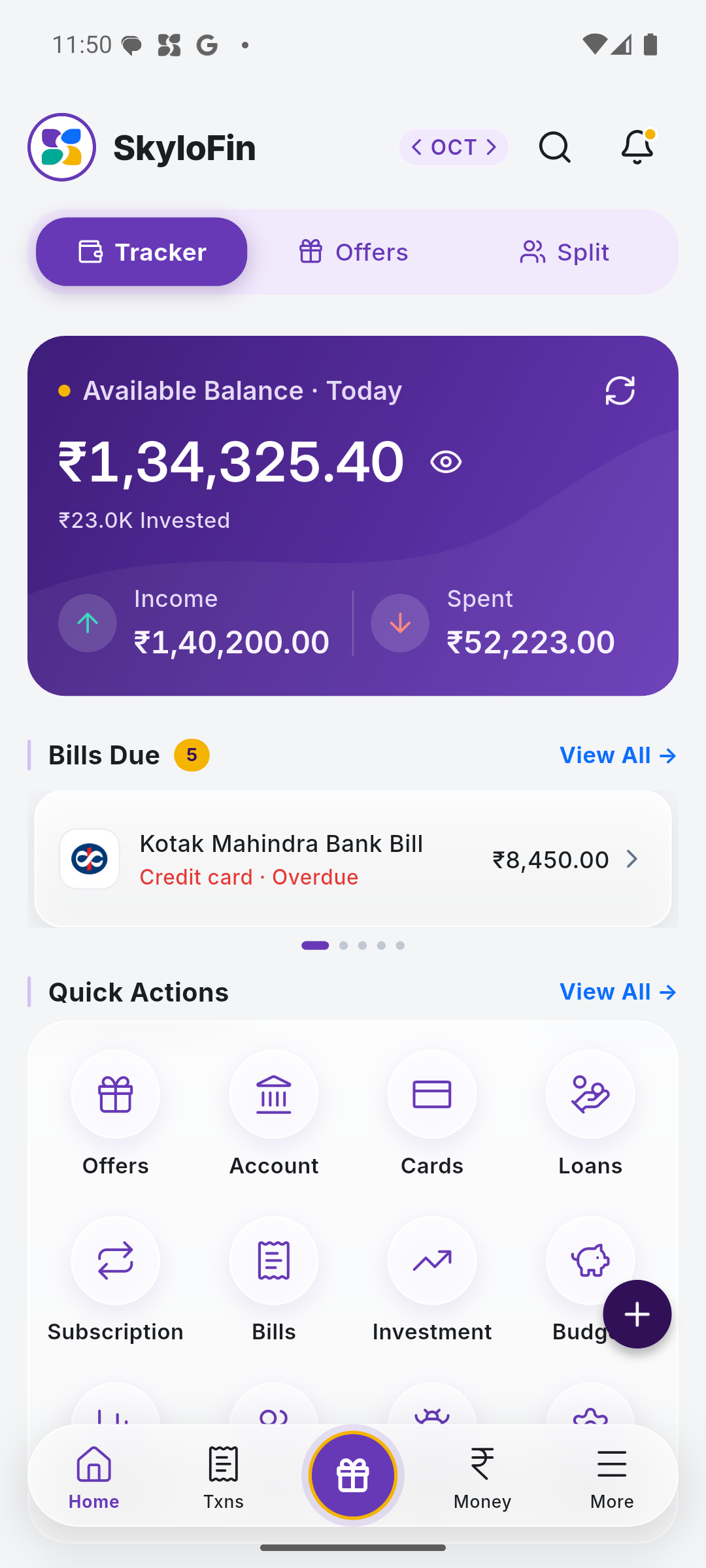
Free, no ads. It reads your bank SMS on your phone, and your transactions stay there.
Needs Android 7.0 or later.