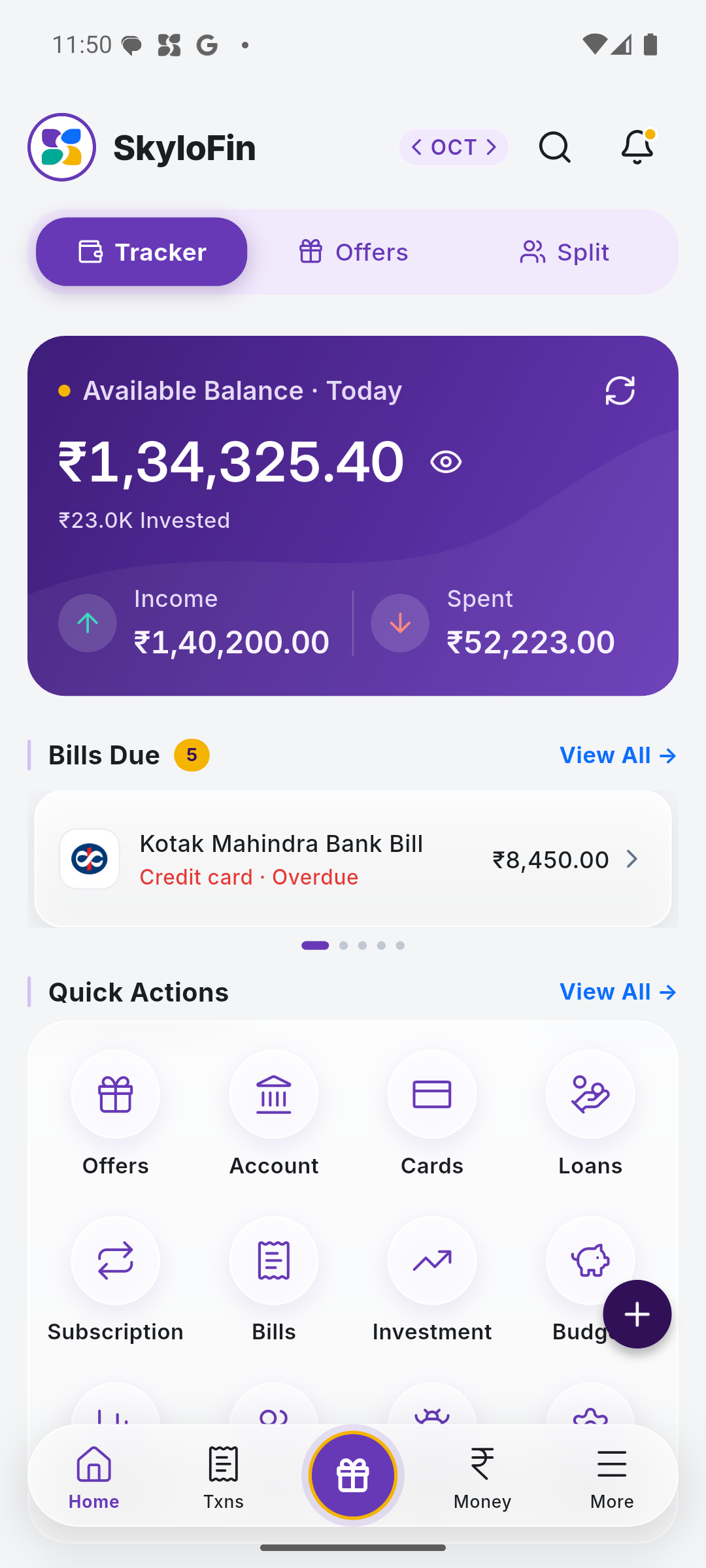

You install a simple expense tracker. It is free, it reads your bank SMS and it shows you where your salary went. A year later the first screen is a loan offer, the next is Pay Later, and the tracking you came for is two taps away. Many people in India have seen this happen to an app they used, and it leaves a fair question: will the next one do the same?
This guide explains why it happens, which part of it is actually risky and which part is just business, the early signs to watch for, and what protects you if an app you use changes direction.
Why it happens
A free app has to make money somehow. For a money app, the options are ads, a paid plan, referral fees for cards and loans, or lending itself. Lending pays the most by far. And an expense tracker that reads your bank SMS knows a lot that a lender wants to know: your salary date, your EMIs, how often your balance runs low.
So the move from tracker to lender is not a conspiracy. It is simple maths for a company that needs revenue. That does not make it bad on its own. A tracker that partners with an RBI-regulated bank or NBFC and offers you a loan, with clear terms, is doing something legal. The problem starts when your data quietly becomes the sales tool.
Which part is actually risky
| What changes | Usually fine | Worth worrying about |
|---|---|---|
| Offers appear in the app | Clearly labelled, easy to ignore | Offers block the screens you use every day |
| Who lends | A named, RBI-regulated bank or NBFC | No lender named, or a name you cannot find |
| Your data | Stays where the policy said it would | The policy changes to “share with partners” |
| Permissions | Same as before | New requests for contacts, photos or location |
| Terms of the loan | Key Fact Statement with the full yearly cost | Only a daily or monthly rate, fees unclear |
The first column is a company adding a product. The second column is a company changing what it does with you. That is the line to watch.

Early signs to watch for
- The privacy policy changes. Apps usually show a notice. Read the part about sharing. “Partners”, “lending partners” and “credit assessment” are the words to look for.
- An update asks for a new permission. Android asks you before an app gets contacts, photos, location or call log. A tracker has no reason to want them.
- You are asked to “check your loan limit”. This often means your data is being sent to a lender to score you.
- Tracking features stop improving. Bugs stay open while new offer screens keep arriving.
- The Play Store category or description changes from finance tracking to lending or credit.
One sign alone is not proof. Two or three together tell you the app’s main job has changed.
What protects you
Your phone
Android asks before an app can read contacts, photos, location or call logs, and you can say no. You can also remove any permission later in Settings > Apps > the app > Permissions. If an update asks for something a tracker does not need, deny it.
Google Play
Since 2023, Google Play’s policy bars personal loan apps from accessing your contacts, photos, videos, call logs, external storage and precise location. This rule came after borrowers were harassed by recovery agents who had copied their contact lists. Play also asks loan apps in India to declare the RBI licence they work under.
The RBI
The RBI’s digital lending rules, now the Digital Lending Directions 2025, say a loan through an app must come from a regulated entity or a lender working with one. Before you sign, you must get a Key Fact Statement showing the all-in yearly cost (the APR), and you get a cooling-off period to exit a loan early. The RBI also publishes a list of digital lending apps that regulated lenders have reported, so you can check an app’s claim. The RBI notes it publishes this list as reported and does not separately validate it.
Your own data
This is the part people forget. If an app keeps your history on its own servers, you cannot take it back when the app changes. If the history lives on your phone or in your own Google Drive, you can uninstall the app and the data never becomes part of anyone’s loan pitch.
What to do if your tracker changes
- Export what you want to keep: most apps offer a PDF or spreadsheet export.
- Turn off SMS access in Settings so it stops reading new messages.
- Ask the company to delete your account and data. Under India’s DPDP Act you can ask for erasure.
- Uninstall it, then move to a tracker whose model you are comfortable with.
If you are choosing a new tracker, our 10-minute safety check walks through the developer, permissions and data questions.
Where SkyloFin stands, plainly
You should ask us the same questions, so here are our answers.
| Question | SkyloFin today |
|---|---|
| Does it lend? | No. SkyloFin never lends or moves money |
| How does it earn? | Referral fees when you choose a card or loan from a partner, on our website and in the app’s Offers |
| Who picks the offers you see? | Your phone. Your spending is never sent to us to choose them |
| Where is your history? | On your phone, with an encrypted backup in your own Google Drive |
| What permissions? | SMS read and receive, notifications. No contacts, photos or location |

So yes, SkyloFin earns from loans and cards, and we say so on how we make money. The difference is that we do not hold your transaction history, so it cannot become a lending pitch. If that is the kind of tracker you want, SkyloFin is free on Android, with no ads and no bank login.
Frequently asked questions
Is it bad if my expense app shows loan offers?
Not by itself. It becomes a problem when the app shares your data with lenders without asking clearly, asks for new permissions, or hides the loan’s full cost.
How do I know a loan app is linked to a real lender?
Look for the lender’s name on the loan screen and in the Key Fact Statement, then check that name on the RBI website and in the RBI’s list of digital lending apps.
Can an app use my SMS to decide my loan?
Only with your consent and only if its policy says so. Read the sharing part of the policy before you tap “check eligibility”.
What happens to my data if I uninstall?
Data on your phone goes with the app. Data on the company’s servers stays until you ask them to delete it.
A tracker changing direction is common. Getting caught by it is avoidable. To try one that keeps your history with you, get SkyloFin free on Android.
Last checked: October 2026.
Updated 29 Oct 2026.