
Rent goes to the landlord by UPI on the 5th. The bike EMI leaves by auto-debit on the 7th. The phone EMI hits your credit card. Netflix renews on the 12th, the SIP on the 15th, and the term insurance once a year in March. Each one is tracked somewhere different, so you never see the full picture until the month is half gone.
The direct answer: make one list of every fixed payment with its amount, date and how it is paid. Add it up against your salary. What’s left is the money you can actually spend, and it is usually less than you think.
This post shows how to build that one view, with a worked example on a ₹60,000 salary, a manual method that works on paper or in a sheet, and how to keep it up to date without effort.
Why fixed payments need their own view
Most people track spending by looking at what’s left in the bank. That works badly when your fixed costs leave on different days through different routes. On the 3rd your account looks healthy. By the 16th, rent, two EMIs, the SIP and three subscriptions have gone, and the balance feels like it shrank by itself.
Fixed payments are also the ones that cost you most when they fail. A bounced EMI auto-debit brings a bounce charge from your bank and a penalty from the lender. A missed rent transfer costs goodwill you can’t buy back. Seeing them together, in date order, is how you make sure the money is there on each date.
Step 1: Collect every fixed payment
Go through these sources and write down anything that leaves your account on a schedule:
- Rent and maintenance: usually by UPI or bank transfer, set by you each month.
- EMIs: home, car, bike, personal loan and consumer durable loans. Most are collected by NACH or e-mandate from your savings account; some phone and appliance EMIs sit on your credit card.
- Investments: SIPs, recurring deposits, PPF or NPS contributions.
- Insurance: term, health and vehicle premiums, monthly or yearly.
- Subscriptions: OTT, music, cloud storage, apps, newspaper, gym.
- Utilities with steady amounts: broadband, mobile postpaid, DTH, house help, school or tuition fees.
To find the ones you’ve forgotten, check the Autopay or Mandates list in each UPI app you use, the standing instructions in your net banking, and your last three months of statements.
Step 2: Put them in date order
Here is a worked example. Priya earns ₹60,000 in hand, credited on the 1st.
| Date | Payment | Amount | How it’s paid |
|---|---|---|---|
| 5th | Rent | ₹16,000 | UPI, by hand |
| 7th | Bike loan EMI | ₹4,700 | NACH auto-debit |
| 10th | Phone EMI | ₹3,500 | On credit card |
| 10th | Broadband | ₹700 | UPI AutoPay |
| 12th | OTT plans | ₹500 | UPI AutoPay |
| 15th | SIP | ₹5,000 | Auto-debit |
| 20th | Mobile postpaid | ₹500 | Card |
| Yearly (₹12,000 ÷ 12) | Health insurance | ₹1,000 | Set aside monthly |
| Total fixed | ₹31,900 |
Two details make this work. Yearly payments are divided by 12 and set aside each month, so March’s premium doesn’t wreck March. And the credit card EMI is counted here, not lost inside the card bill.
Step 3: Work out what’s free to spend
Salary minus fixed payments is the money left for food, travel, shopping and everything else. For Priya: ₹60,000 − ₹31,900 = ₹28,100. If she wants a ₹5,000 emergency fund top-up as well, her real spending money is ₹23,100 for the month, about ₹770 a day.
That daily number is more useful than any balance. When a ₹1,200 Swiggy weekend comes up, she knows it is a day and a half of spending, not just ₹1,200.
A simple health check: if your fixed payments take more than half your take-home pay, every surprise expense becomes a crisis. Our 50-30-20 budget guide shows how to rebalance, and the EMI calculator helps you see what a new loan would add before you sign.

Step 4: Line up the dates with your salary
If rent, EMIs and the SIP all leave in the first ten days, you know where you stand by the 10th and the rest of the month is simple. If they are scattered until the 25th, you need to keep money aside the whole month.
- Ask your lender whether the EMI date can be moved closer to salary day. Some lenders allow it.
- Set your SIP date a few days after salary, not before.
- Ask your card issuer to move your credit card billing cycle so the due date falls just after salary day.
- Agree with your landlord on a rent date that sits after salary, such as the 5th.
Step 5: Keep the view up to date
The manual way: keep the table above in a notebook or a phone note. On the 1st, tick each payment as it leaves. Add new subscriptions the day you start them, and strike off loans the month they end. It takes five minutes a month, and it is still the best way to really know your commitments.
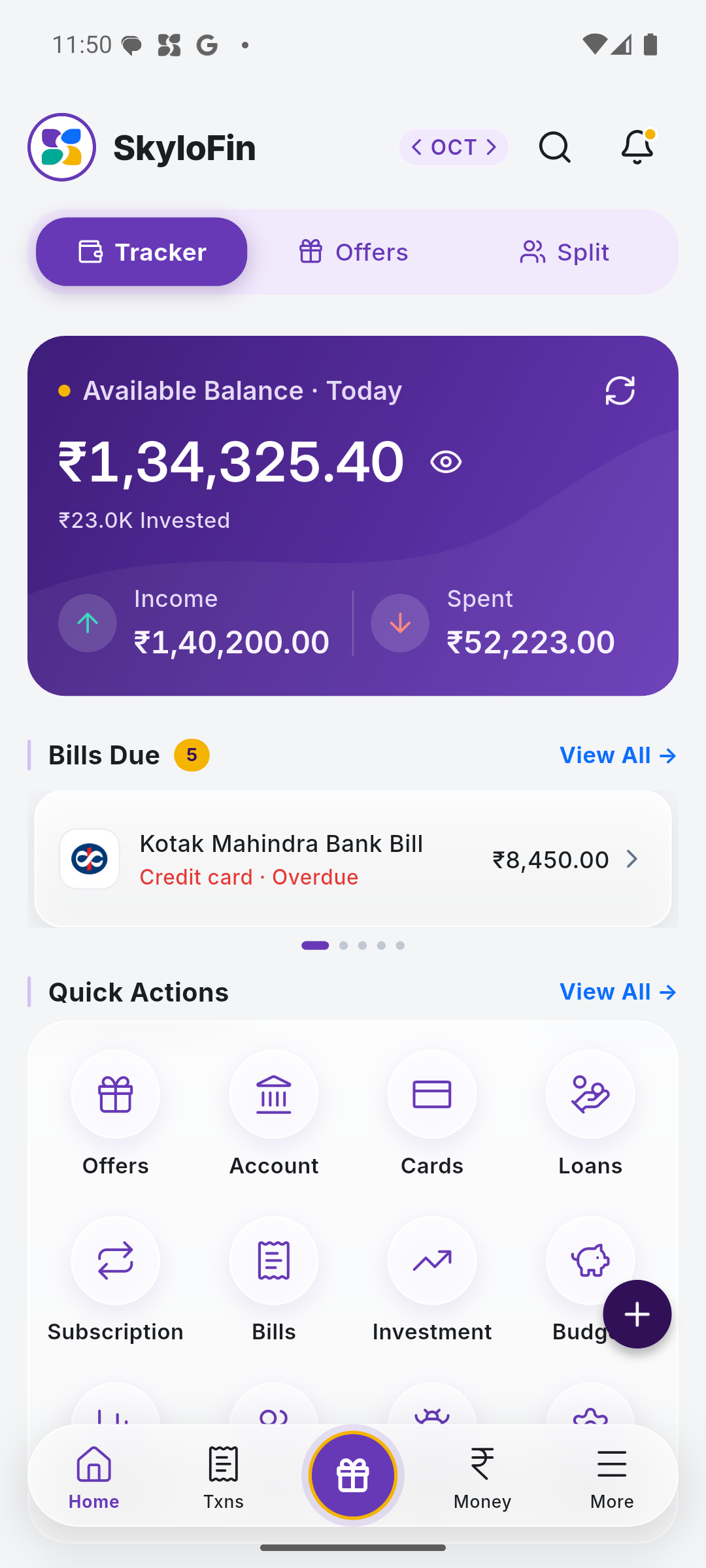
The automatic way: most fixed payments already send you a bank SMS when they leave. SkyloFin reads those SMS on your phone and logs each payment, so rent, EMIs and SIPs appear without typing. You mark a payment as recurring once, and it shows up with your bills and reminders before the next due date. Subscriptions have their own list, and cash payments like house help can be added by hand.

If you want this view without keeping a sheet, SkyloFin is free on Android, with no ads and no bank login.
Watch the warning signs
- A fixed payment you don’t recognise: check the mandate list in your UPI app and your net banking. Before each UPI AutoPay or card mandate debit, you get a notification about 24 hours ahead; use it.
- An EMI that ended but still shows up: ask the lender to close the mandate and confirm in writing.
- Fixed costs creeping up: compare this month’s total with three months ago. Price rises on OTT and broadband rarely announce themselves loudly.
- Low balance before a big debit: keep at least the next EMI’s amount in the account a day before it is due.
Frequently asked questions
Should SIPs count as a fixed expense?
For planning, yes. Treat the SIP as money that leaves on a fixed date, like an EMI. It is still saving, but if you count it as free money you’ll spend it.
How do I handle yearly payments like insurance?
Divide the yearly amount by 12 and set it aside every month, ideally in a separate savings account or recurring deposit. When the premium is due, the money is already there.
Where are my UPI AutoPay mandates listed?
In the UPI app you used to set them up, usually under Autopay or Mandates in your profile. Each UPI app keeps its own list, so check every app you’ve used.
How often should I review the list?
Look at it briefly every month on salary day, and do a proper review every three months. Check for subscriptions you no longer use, loans that are about to end and price increases. A loan that closes in three months is good news to plan for: decide now where that EMI money will go, such as your SIP or emergency fund, before it disappears into everyday spending.
Does SkyloFin pay my rent or EMIs?
No. SkyloFin doesn’t make payments or move money. It reads the bank SMS each payment triggers and keeps them all in one view.
Once you know what’s spoken for, every other money decision gets easier. Build the list once, keep it current, and the middle of the month stops being a surprise. To get the list built from your bank SMS automatically, download SkyloFin free on Android.
Last checked: October 2026.
Updated 13 Oct 2026.