
The electricity bill comes every month or every two months, depending on your state. The mobile plan runs out on a validity date. The DTH balance hits zero on a Sunday evening during a match. The broadband bill shows up by email. Rent is due on the 5th, and the society maintenance on whatever date the secretary picks. No wonder something always slips.
The direct answer: sort every bill into one of three types: billed, prepaid or fixed-date. Each type needs a different kind of reminder. Then put them all on one page in date order, and check that page once a week.
This guide covers household bills. If credit cards are your worry, read our guide to what the credit card minimum due really costs as well; card bills follow their own RBI rules.
The three types of household bills
Most missed bills are missed because we treat them all the same. They aren’t.
| Type | Examples | How the date is set | What goes wrong |
|---|---|---|---|
| Billed | Electricity, piped gas, water, postpaid mobile, broadband | A new due date on every bill | The bill comes by SMS or email and gets buried |
| Prepaid | Mobile recharge, DTH, FASTag, prepaid electricity meter | Validity or balance runs out | No bill at all, service just stops |
| Fixed-date | Rent, society maintenance, house help, tuition | Same day every month | Nobody reminds you, so it depends on memory |

Billed: track the bill, not the month
Electricity boards, gas companies and postpaid mobile and broadband operators send a fresh bill with a fresh due date. The date can move by a few days from one bill to the next, and some electricity boards bill every two months. A fixed monthly reminder will be wrong half the time. The reminder has to come from the bill itself.
Prepaid: track the expiry
A prepaid mobile plan or DTH pack has no bill. You get a warning SMS a few days before it runs out, and those are easy to ignore. Note the validity end date when you recharge and set the reminder for two days before it.
Fixed-date: put it in the calendar once
Rent, maintenance and house help are paid on the same date each month. A repeating phone calendar event, set once, covers these for good.
Build a one-page bill calendar
List every bill your home pays. A typical two-bedroom flat in a city looks something like this:
| Bill | Type | Usual date | Approx. amount | How you pay |
|---|---|---|---|---|
| Rent | Fixed-date | 5th | ₹18,000 | UPI to landlord |
| Society maintenance | Fixed-date | 10th | ₹2,500 | UPI or bank transfer |
| Electricity | Billed | Due date on bill, around the 18th | ₹1,800 | Bill payment in UPI app |
| Piped gas | Billed | Due date on bill | ₹700 | Bill payment in UPI app |
| Broadband | Billed | Around the 12th | ₹800 | UPI AutoPay |
| Mobile postpaid (2 lines) | Billed | Around the 20th | ₹900 | Card |
| DTH | Prepaid | Pack expiry | ₹450 | Recharge in UPI app |
| House help | Fixed-date | 1st | ₹4,000 | Cash |
Amounts are only an example. Once your list is ready, add two columns: reminder date (three days before for billed bills, two days before expiry for prepaid) and paid on. That’s your bill calendar.
Reminders that actually fire
The manual way:
- Fixed-date bills: one repeating calendar event each, with an alert the day before.
- Billed bills: when the bill SMS or email arrives, add a one-off calendar event on the due date with an alert three days before. Do it the moment the bill comes, or it won’t happen.
- Prepaid: right after each recharge, add an event two days before the new expiry date.
- Every Sunday: open the calendar, look at the next seven days, and pay anything due in that window.
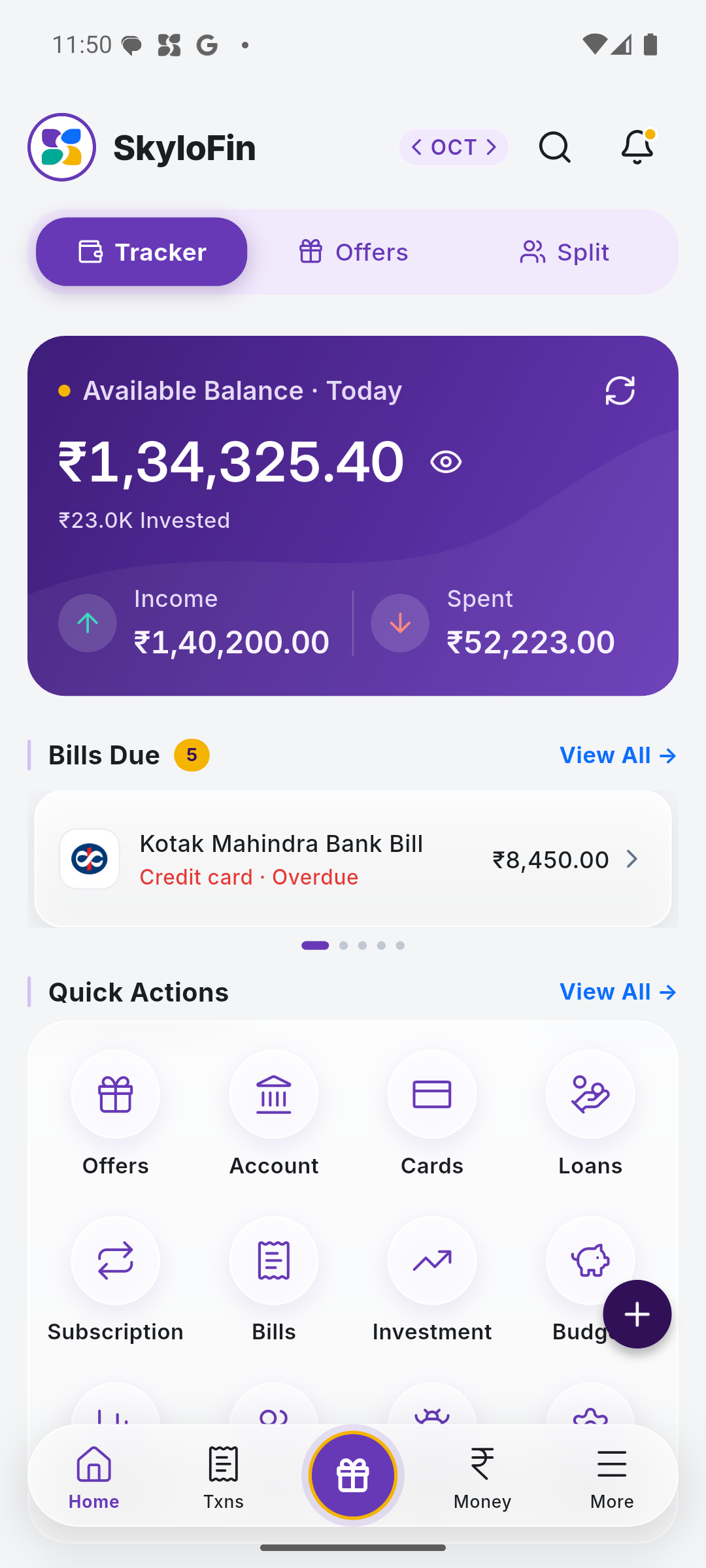
The automatic way: billers and banks already send SMS for most of this. SkyloFin reads the finance SMS on your phone and keeps your bills and reminders in one list, reminds you before the due date, and lets you mark each one paid. Bills that send no SMS, like rent or house help, you add once by hand as a recurring payment.

If you’d like one list instead of a calendar full of events, SkyloFin is free on Android, with no ads and no bank login.
Should you put bills on autopay?
Autopay works well for some bills and badly for others.
- Good for autopay: bills with a steady amount, like broadband, OTT and fixed postpaid plans. UPI AutoPay covers mobile bills, electricity bills and more, and you can pause or revoke a mandate any time from your UPI app.
- Better paid by hand: bills that swing a lot, like electricity in summer. A ₹4,500 May bill on autopay can drain the account just before your EMI goes out. Pay it yourself after checking the meter reading looks right.
- Fixed-date personal payments like rent are usually paid by hand over UPI. Keep them on the calendar.
With UPI AutoPay, your app warns you about 24 hours before each debit. In Google Pay, tapping that notification lets you pause or cancel the mandate with your UPI PIN.
Pay in one place where you can
Many UPI apps and bank apps let you pay electricity, gas, water, broadband, DTH and postpaid bills from a single “Bills” or “Recharge” section. Much of this runs on Bharat Connect, earlier known as Bharat BillPay, a bill payment platform from NPCI Bharat BillPay Limited, a subsidiary of NPCI. You enter your consumer number once, and the app can fetch the latest bill amount for you.
Two tips. Save each biller with a clear nickname, like “Electricity, Pune flat”, so you never pay the wrong account. And keep the payment reference until the next bill shows the amount as received.
Avoid these common slips
- Paying on the due date by a slow method. Pay two to three days early so the biller records it on time.
- Ignoring “bill generated” SMS. That message is the only reminder many billers send.
- Forgetting the second home. Parents’ electricity or a rented-out flat’s maintenance are easy to miss. Put them on the same calendar.
- Recharging DTH for the wrong box. Save the subscriber ID with a name.
- Moving house without updating the list. When you shift, note the final meter reading, pay the last electricity and gas bills at the old address, remove those billers from your UPI app, and add the new consumer numbers the same week.
Want to see how much all these bills add up to in a year? SkyloFin shows spending by category month by month, and its reports and PDF export give you the totals to keep or share.
Frequently asked questions
What’s the easiest way to remember electricity bill due dates?
Add a reminder from the bill itself, three days before the due date shown on it, because the date can move between bills. An SMS-based app like SkyloFin can do this from the bill SMS.
Should I put the electricity bill on autopay?
Only if your account always has enough for the highest bill of the year. Otherwise pay it by hand so a high summer bill doesn’t clash with your EMI or rent.
How do I track prepaid DTH and mobile recharges?
Note the expiry date when you recharge and set a reminder two days before. Prepaid services send no bill, so the reminder has to come from you or an app.
Can SkyloFin pay my bills?
No. SkyloFin doesn’t make payments. It tracks your bills and reminds you; you pay through your UPI or bank app as usual.
Three types of bills, one page, one weekly look. That’s all it takes to stop paying for a missed electricity bill or sitting through a blank TV screen. To keep the whole list on your phone, download SkyloFin free on Android.
Last checked: October 2026.
Updated 13 Oct 2026.